6. File Browsing Mode
45
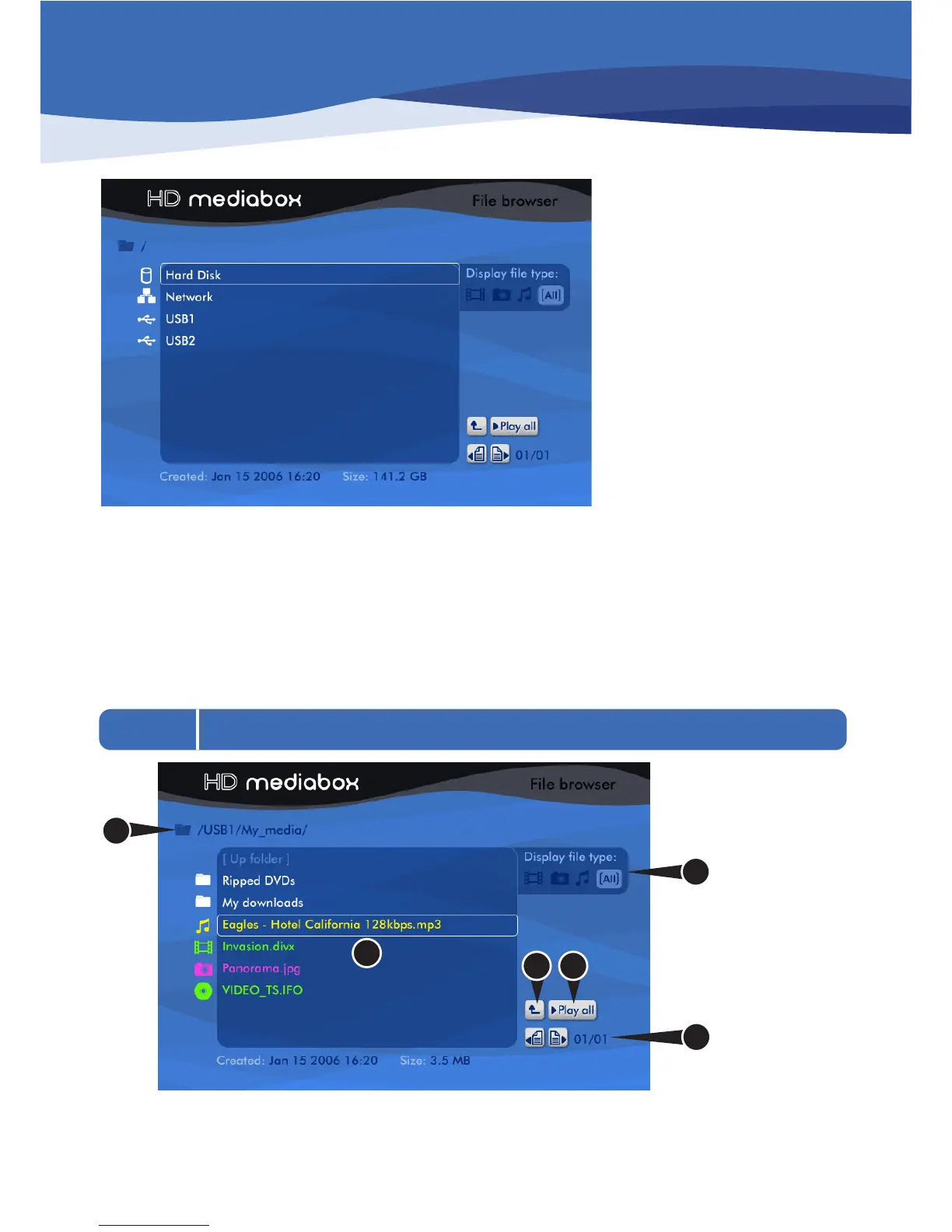
When HD MediaBox is idle, it is in File Browsing Mode.
Here, you can browse and select your audio, video and photo files to play.
These can be stored in any of the following locations.
• An internal hard disk (if fitted)
• Shared Drives on your Local Area Network
• NAS (Network Attached Storage) drives
• External USB devices such as external hard discs or USB thumbdiscs
6.1 Familiarizing Yourself with File Browsing Mode
1. Current Folder path: This area shows how you’ve drilled down to get to the current folder.
2. Current folder contents: This area displays the contents of the current folder. Each page can show up to 9
items. Each item is given an icon and a color according to the following two tables.


 To Next Page