42
UTF8: Unicode
GB2312: Chinese Simplified
Big5: Chinese Traditional
Western: Western European
See section 7.7 for an explanation of subtitle use in Media Playing Mode.
This setting is saved as part of a Profile (see section 5.4.6).
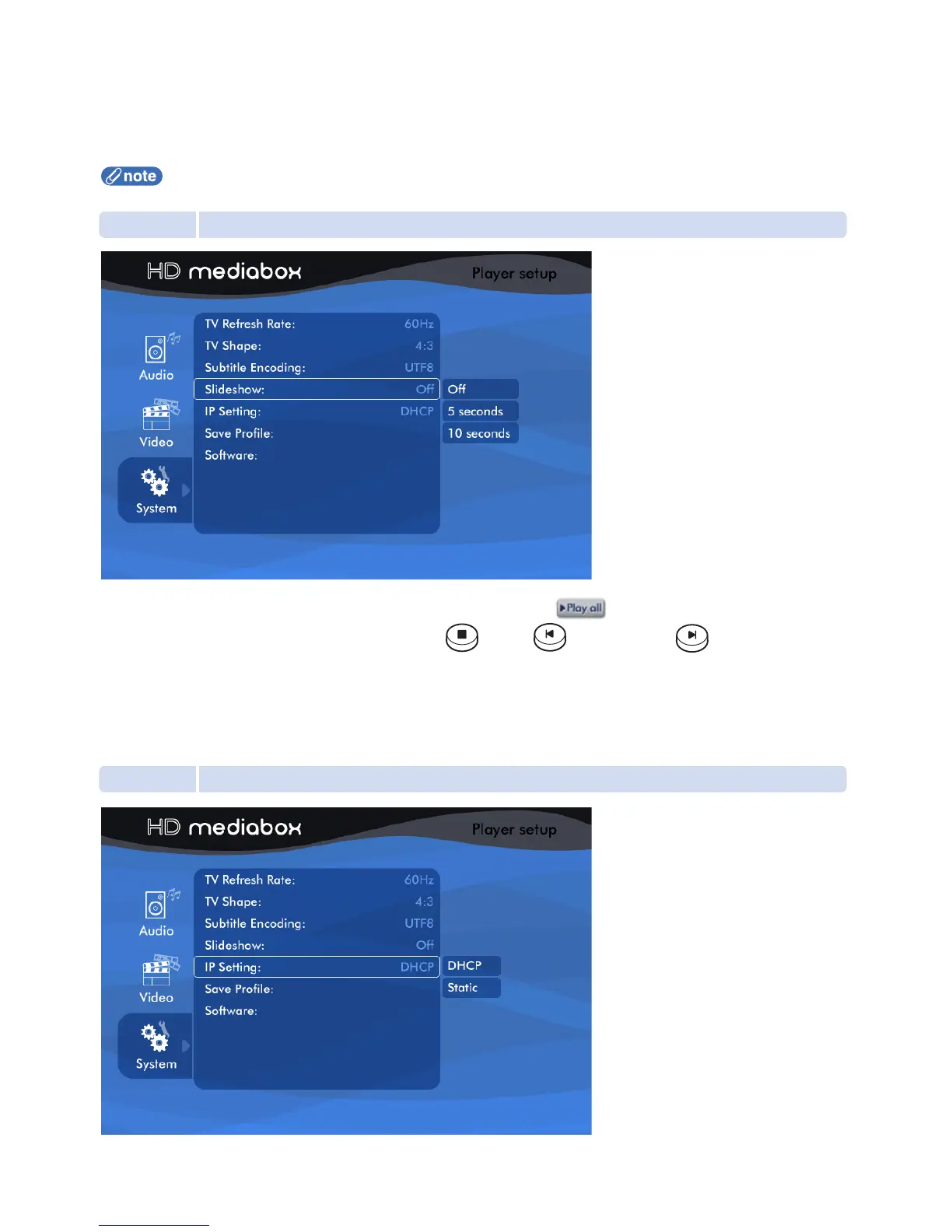
5.4.4 Slideshow
This setting defines the amount of time a photo is displayed for when is selected in File Browsing Mode.
5 seconds: Each photo is displayed for 5 seconds then moves to the next* file.
10 seconds: Each photo is displayed for 10 seconds then moves to the next* file.
* In Media Playing Mode, the sequence of next media file depends on the Repeat Mode setting (see section 7.2 for more information)
5.4.5 IP Setting (Internet Protocol Setting)
This setting is required for HD MediaBox to detect your network (if present).
Off: The photo will stay on until you press either the STOP, PREVIOUS, or NEXT
Remote Control keys.


 To Next Page