32
4.3.3.1 How to Share Folders on Windows XP
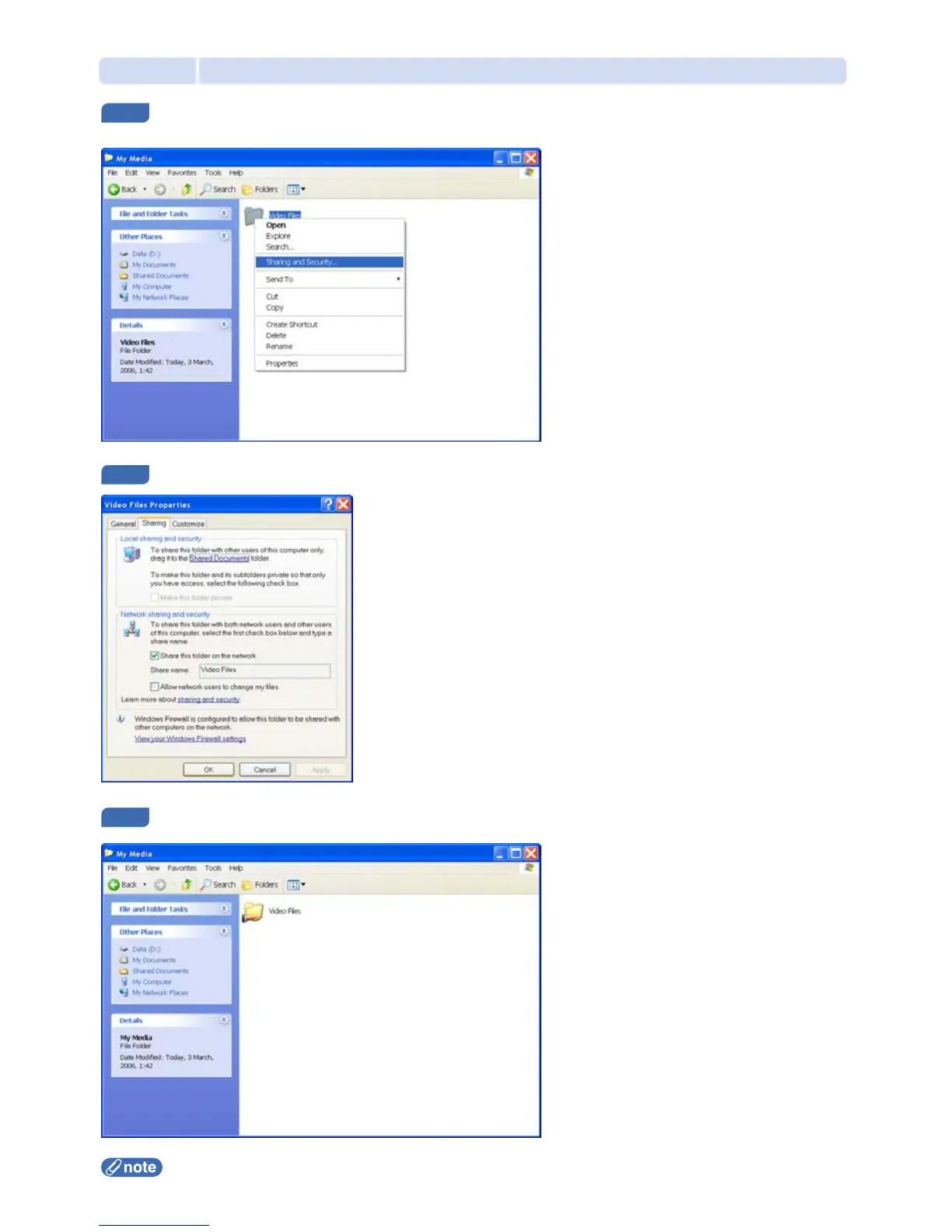
Locate the folder you wish to share. Right-click on the folder and select ‘Sharing and Security’ from the
popup menu.
Check ‘Share this folder on the network’ and type a share name (this is the name that HD MediaBox will see).
After pressing ‘OK’, the shared folder icon will now have a hand under it as shown below.
If you are using Windows XP Professional and you have disabled "Simple File Sharing", you need to set
the permissions for the shared folders correctly. Please refer to your Windows manual if necessary.


 To Next Page