37
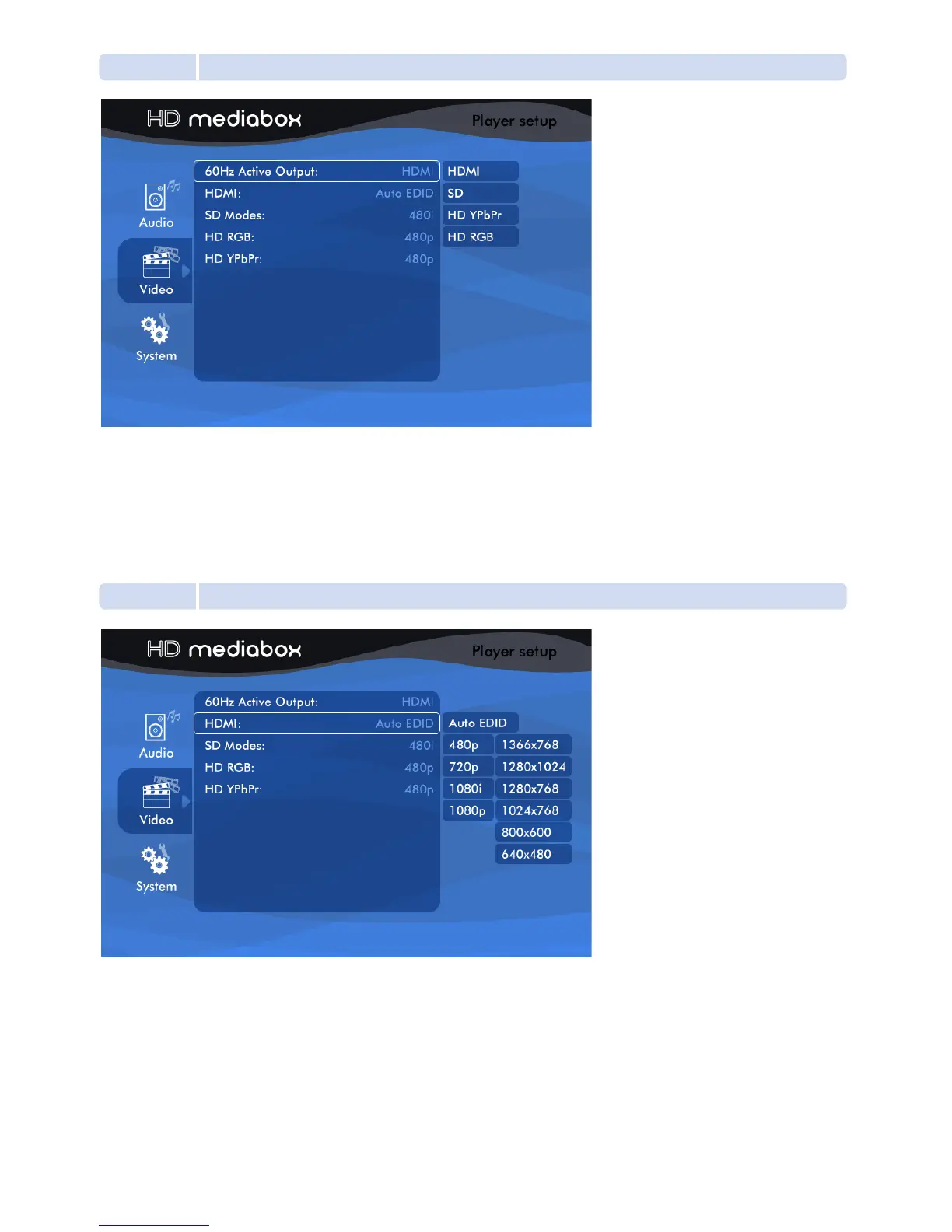
5.3.1 Active Output
Active Output sets lets you choose which Video Output HD MediaBox should use.
HDMI: Choosing this will activate the HDMI (High Definition Multimedia Interface) port.
SD: Choosing this will change the VGA port to Standard Definition Component Video (YPbPr).
HD YPbPr: Choosing this will set the VGA port to High Definition Component output (YPbPr).
HD RGB: Choosing this will set the VGA port to High Definition RGBHV output.
5.3.2 HDMI
This setting is applied if HDMI has been selected as your Active Output (see section 5.3.1).
HD MediaBox provides both HDTV resolutions and Computer resolutions for maximum compatibility.
It is recommended that you choose a resolution to match the native resolution of your display device
as closely as possible.
1080p is the highest resolution that HD MediaBox will output.


 To Next Page