58
9.3 Updating HD MediaBox
Connect your HD MediaBox to your display in the normal way.
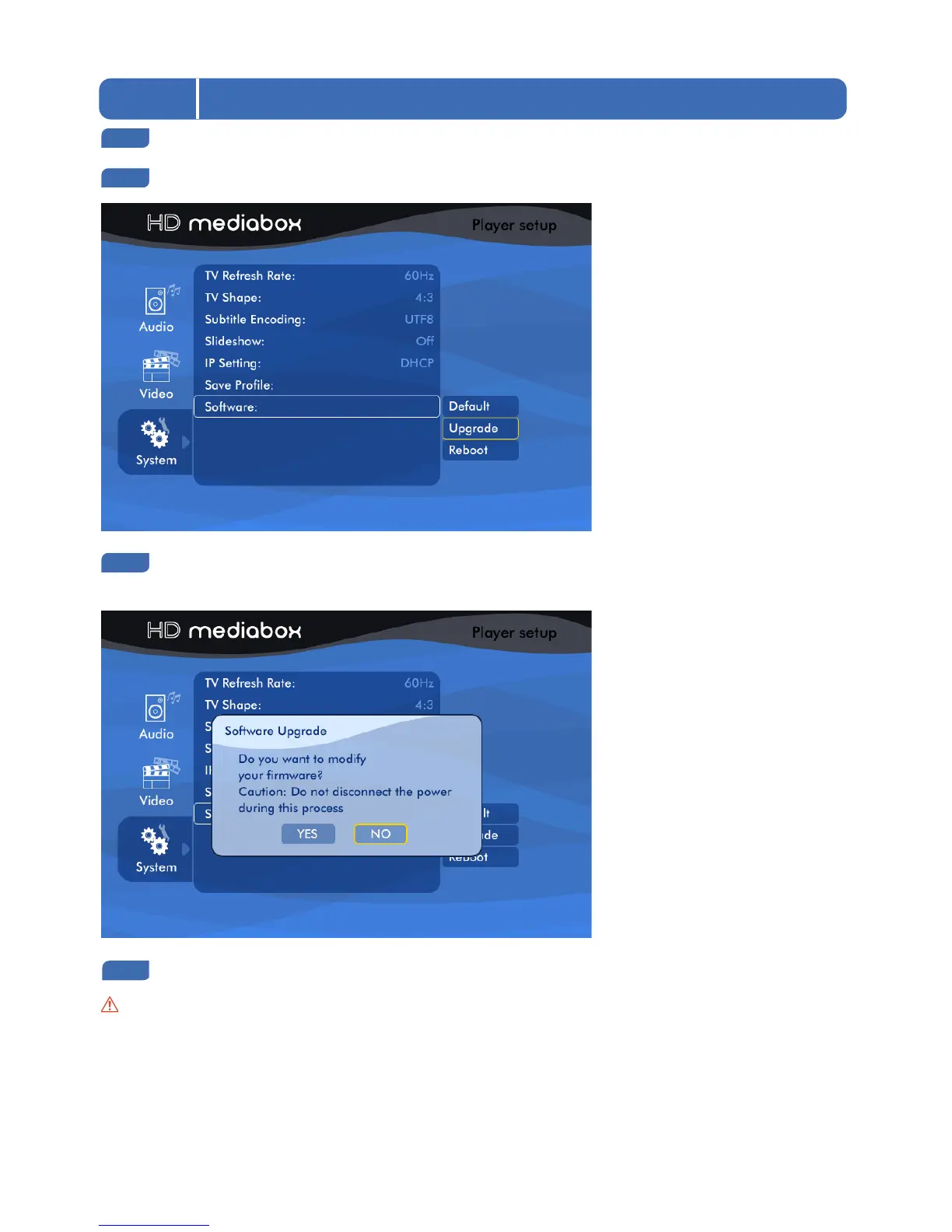
Navigate to SETUP > System > Software and highlight the Upgrade option.
At the bottom of the screen you will see a confirmation message if MediaBox.bin has been put in the
correct location. If the firmware was found - select Upgrade
You will see a pop-up message asking you for confirmation
Caution: it is important that the power to HD MediaBox is not interrupted during the upgrade process. If power
is interrupted you may need to use the recovery process outlined in section 10.2.


 To Next Page