40
The following formats are sent to your display if HD YPbPr has been selected as your Active Output
(see section 5.3.1).
480p: This is a progressive output of 720x480
720p: This is a progressive output of 1280x720
1080i: This is an interlaced output of 1920x1080
1080p: This is a progressive output of 1920x1080
5.4 System Setup
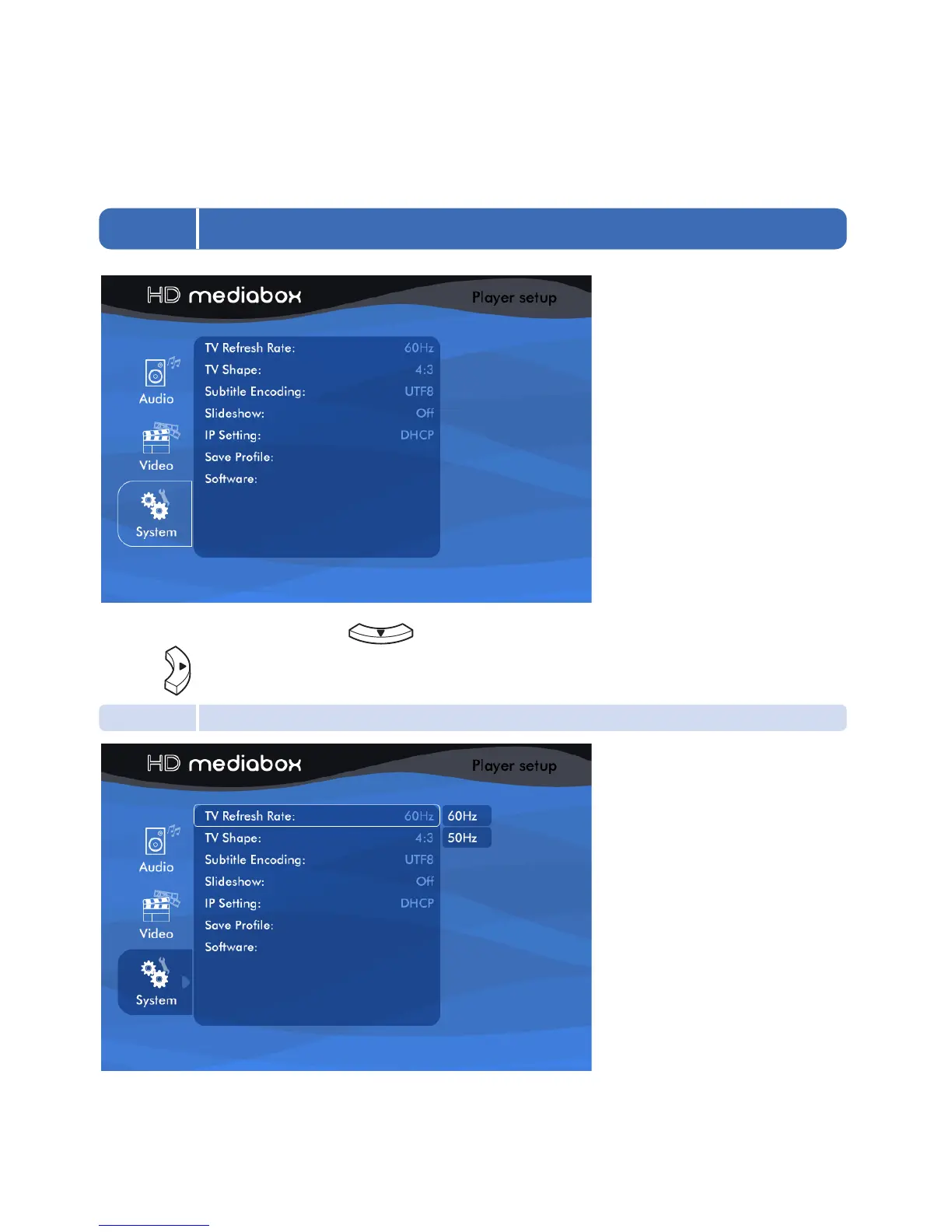
After entering Setup Mode, press the twice on your Remote Control to highlight System,
5.4.1 TV Refresh Rate
Use this setting to choose the output refresh rate of HD MediaBox. Your Standard Definition display may accept
only one of these settings (usually 60Hz in America and Japan and 50Hz in the rest of the World).
then the to enter the Setup Menu.


 To Next Page