STERLINK
®
FPS-15s Plus User Manual
5.2. Start and warm-up
1. Turn on the main power switch which is located at the rear side of the sterilizer.
2. Close the door during preheating process for warming up. The warm-up process can take up
to 40 minutes.
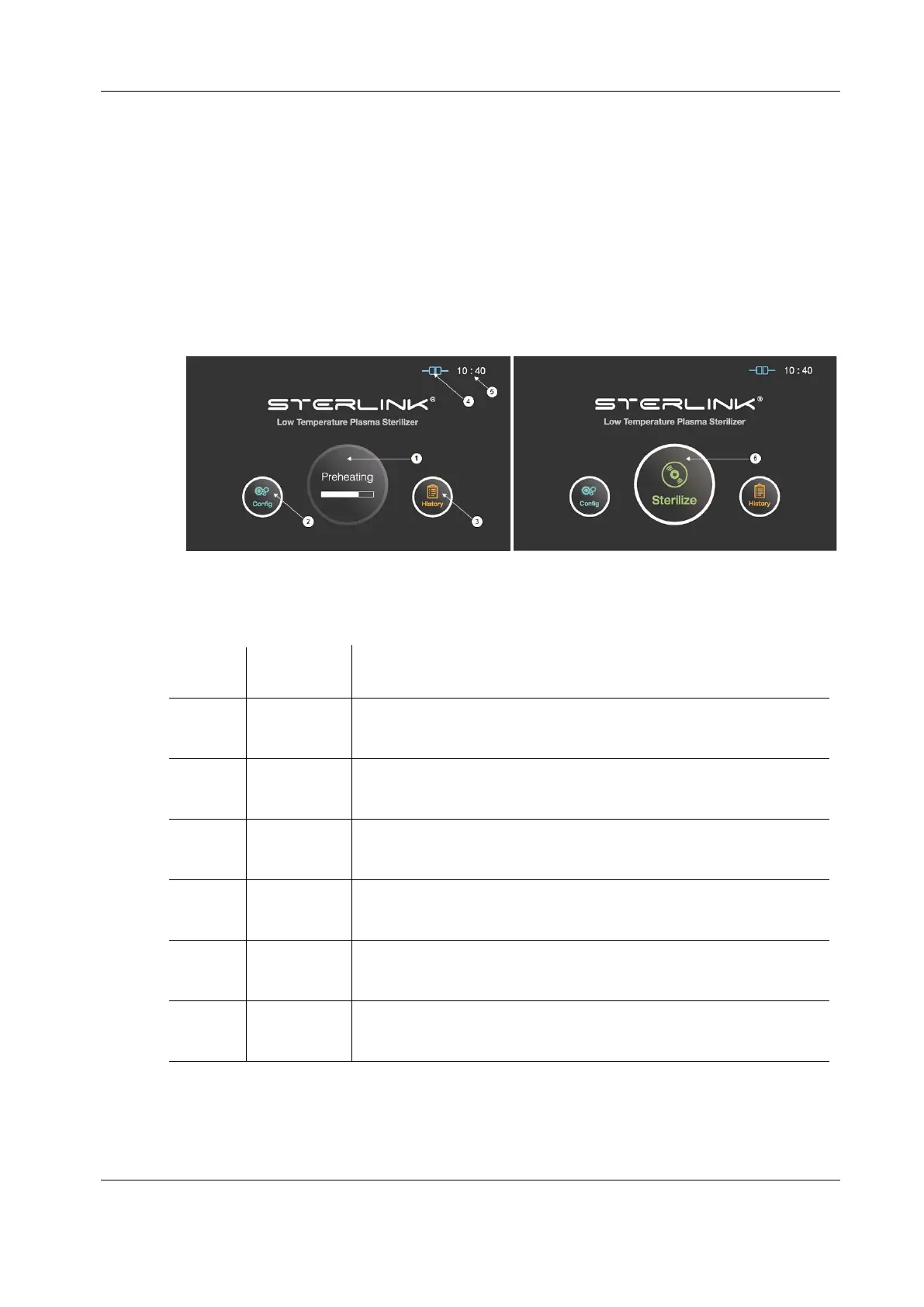
3. After the preheating process, the "Sterilize" icon will appear on the display instead of the
"Preheating".
Figure 5.1 GUIs for the preheating and at ready stage
For components that require temperature control of chamber or vaporizer,
to make the product ready the product will be preheat.
The display can be moved into the sterilizer’s configuration setup by
touching this configuration icon.
The display can be turned into the sterilization management window by
touching this history icon.
This section displays the present status of ITS
TM
connection.
The current configurable time is displayed in Configuration menu.
The sterilizer starts the sterilization cycle by touching this icon.


 To Next Page