STERLINK
®
FPS-15s Plus User Manual
6.3. Additional utility menu
The Additional utilities menu in the "Configuration" is available to users with Supervisor or
Service-level access authorities. The Additional utilities menu allows supervisors to configure the
time setting, sterilizer system setting, and diagnostic test.
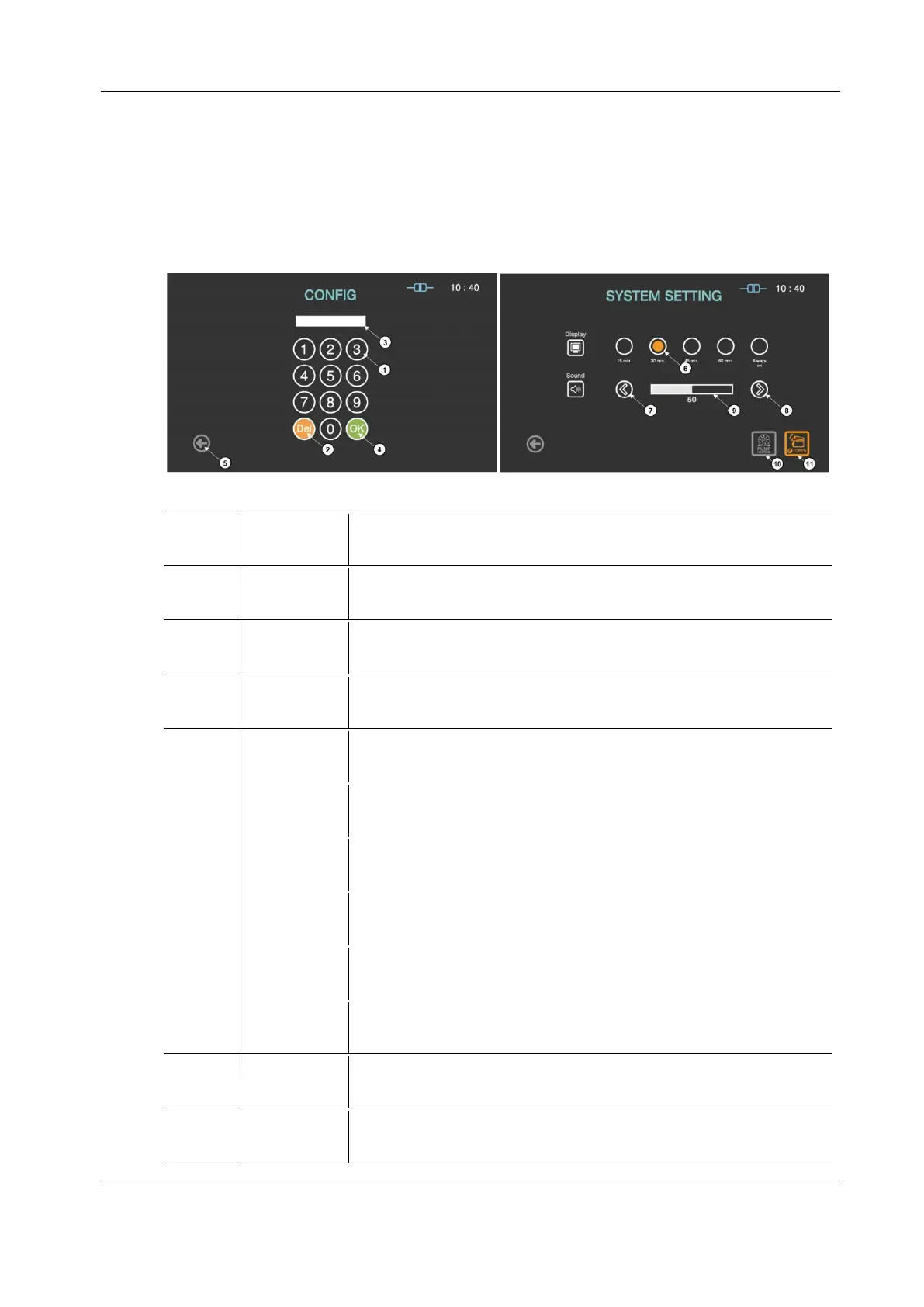
Figure 6.1 GUISs for configuration and system setting
The number keys are provided for entering password and system setting.
The key is for deleting the number entered.
This section displays the password entered.
The default setting for the password is “1111”.
The key is for confirming the password.
This icon is for going back to the user screen for ready.
The display time for the screen saver can be selected by touching the circle
icon.
The sound volume can be increased by touching this plus key.
The sound volume can be decreased by touching this plus key.
The sound bar displays the established volume.
When the door of the sterilizer can not be opened, this function can open
the door urgently.
When the ambient temperature is low or the product is not used for long
time, this function can start the preheating of vacuum pump.


 To Next Page