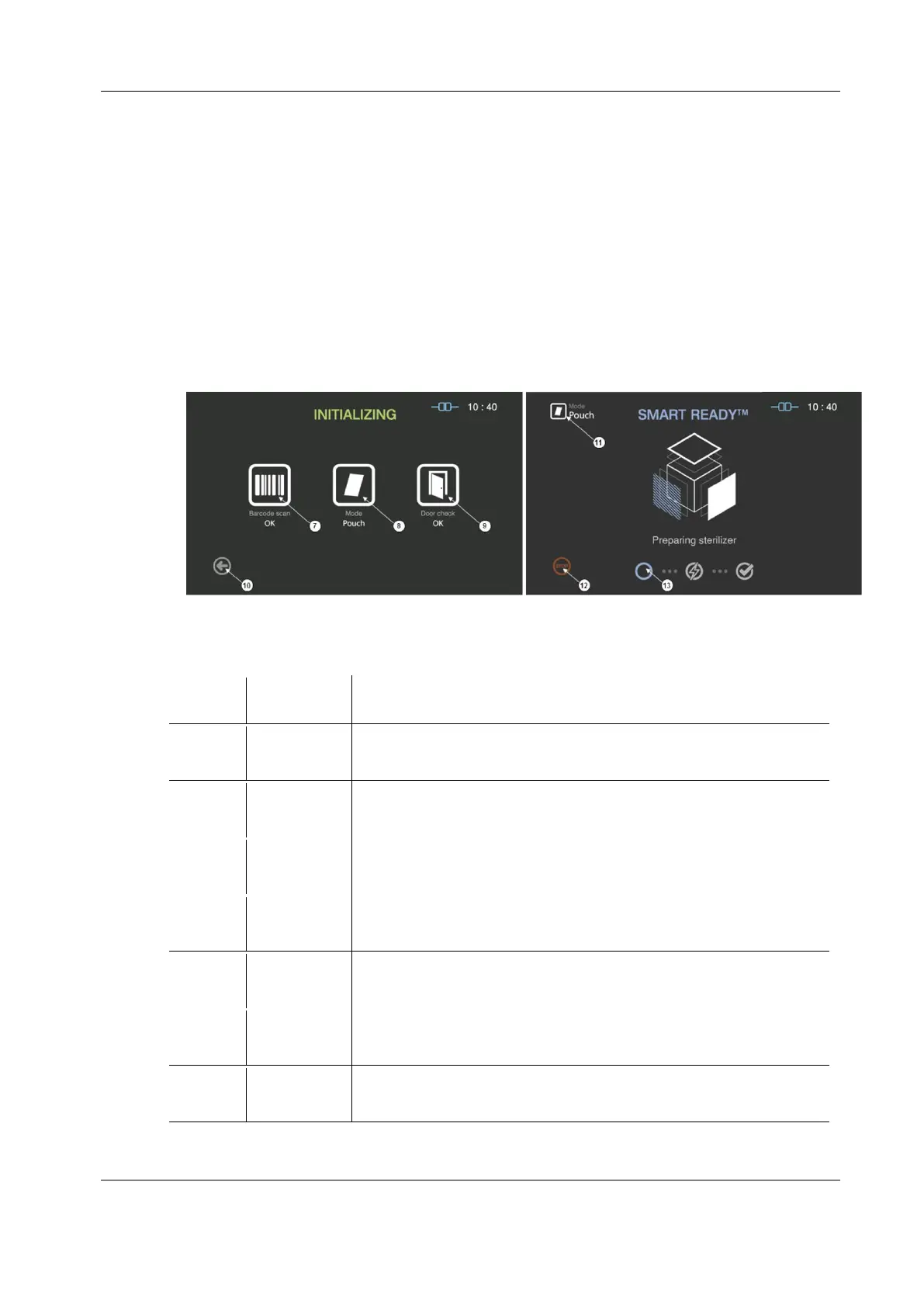
5.5. Starting sterilization cycle
1. Check whether the door is closed when the load has been properly placed in the chamber.
2. Touch "Sterilize" icon to start sterilization cycle.
3. The sterilizer automatically scans the barcode printed on the cassette to check validity of the
loaded cassette and determine the operation mode.
4. The sterilizer automatically check the door status and start the sterilization cycle.
Figure 5.3 GUIs for the initializing and SR
TM
process


 To Next Page