Section 2. Installing the PX-230A Internal ATAPI Drive
PX-230A Installation and Users Manual 29
CAUTION: In the case of only one IDE device, you must make
certain that one end of the cable is always connected to the IDE
connector on the motherboard. The other end of the connector must
be connected to a device. For best results, the end connector of the
cable should never be left unconnected.
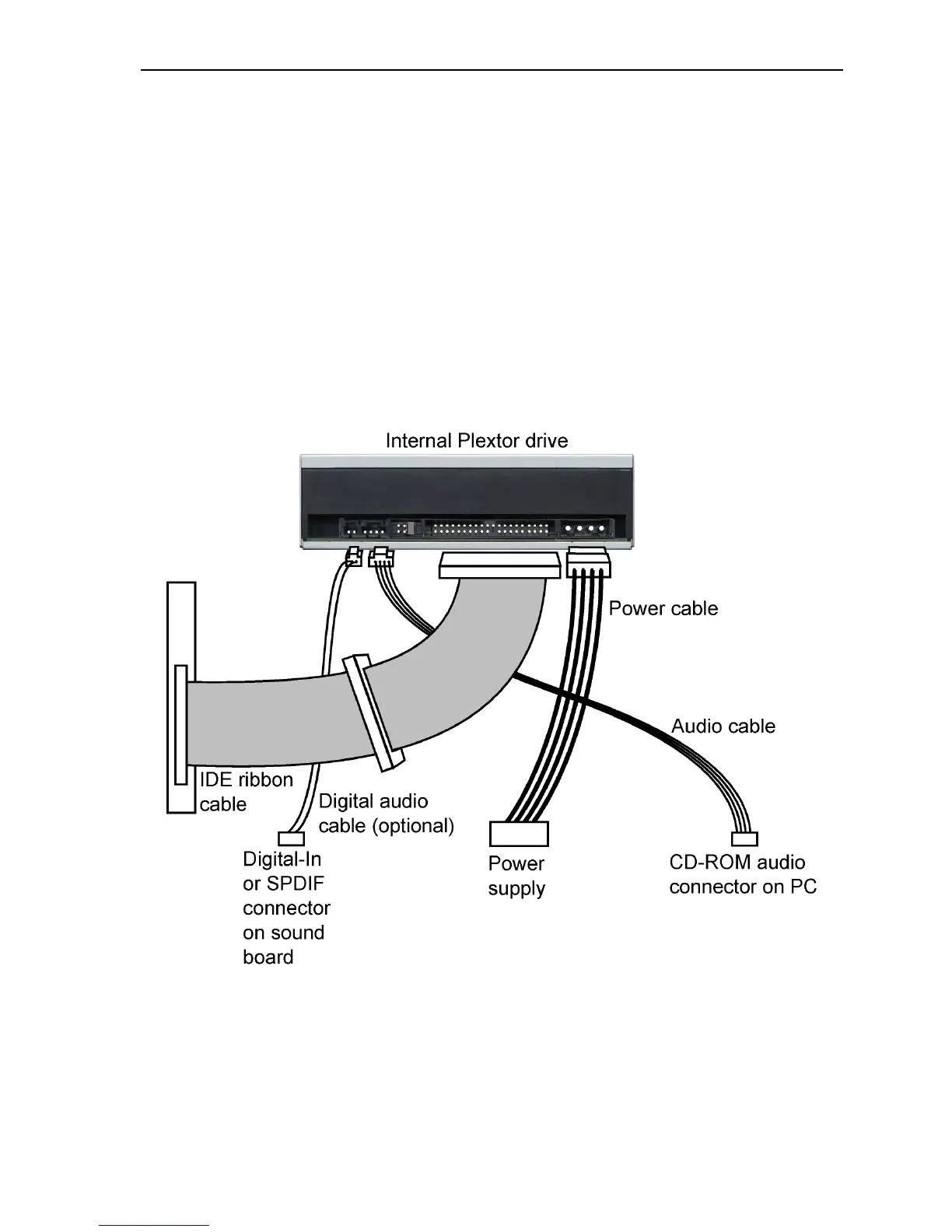
9. Connect a power cable from the computer to the power connector
(DC INPUT) of the drive. In most computers, you will find free
power connectors that are ready for your use.
CAUTION: The power connector on the cable and the receptacle on
the drive are keyed. Do not force the power connector into the drive,
or the drive and/or the computer may be damaged.
Figure 16: Cable connections for an internal IDE drive


 To Next Page