!
++! Plexxi Switch 2e Hardware and Installation Guide! !
^.023!HE)QQ7!?O73/A!')!
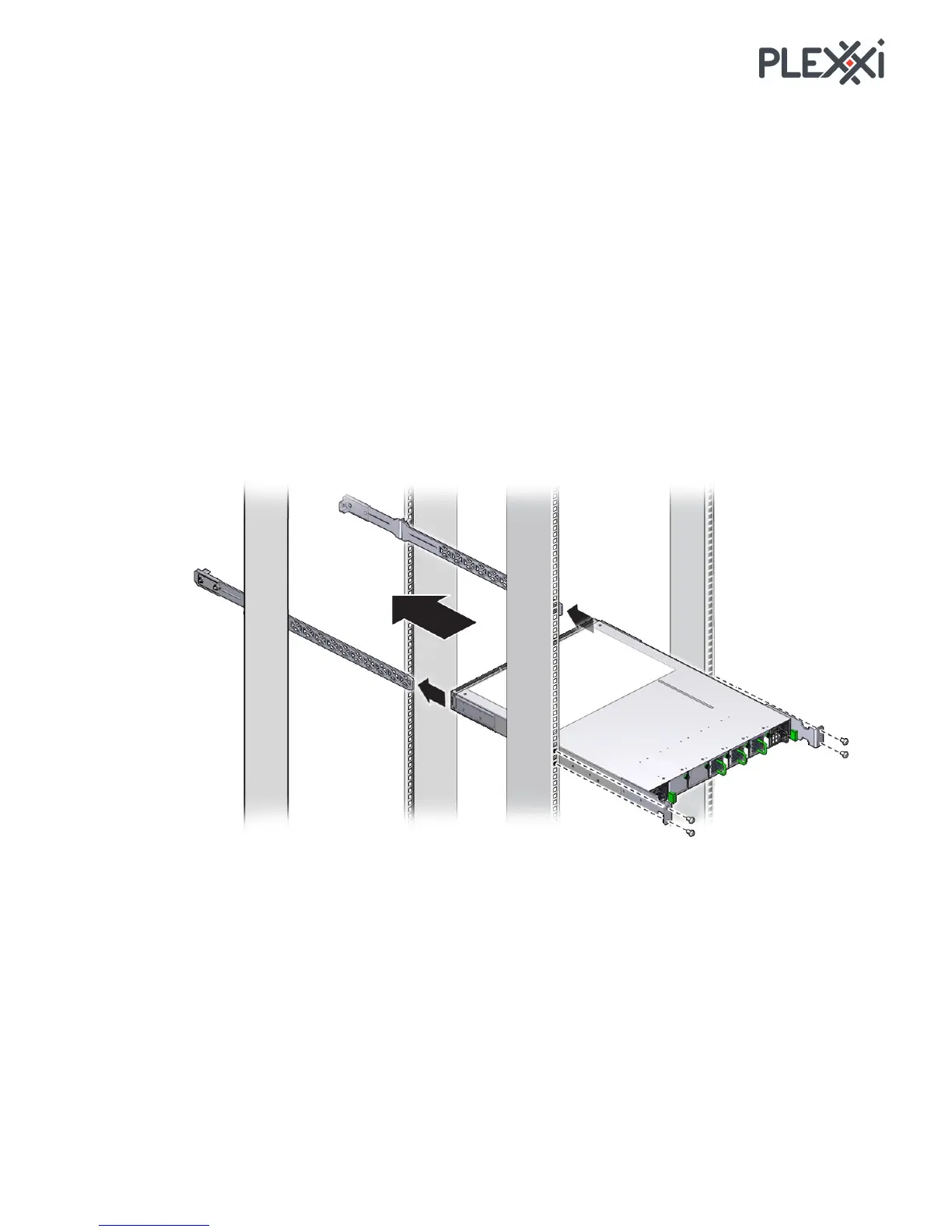
You need the following to rack the switch:
• Two rack rail assembly pieces
• Two anchors to mount switch to rack
• Fourteen screws to mount rack rail assembly and anchors to switch
^.023!(<7E!\66)18E>!
The rail assembly is attached with a set of four
screws in the rear of the rail assembly and two at the front of
the rail assembly.
1. Attach anchors to the switch.
2. Screw in rail-slide screws in the sides of the switch.
3. Attach rack rail pieces to rack.
4. Slide back of switch rail-slide screws into the anchor installed on rack.
5. Mount front of switch to the other side of the rack.



 To Next Page