E – 12
AUDIO MOUSE RGB
/
YCbCr
VIDEOS-VIDEO
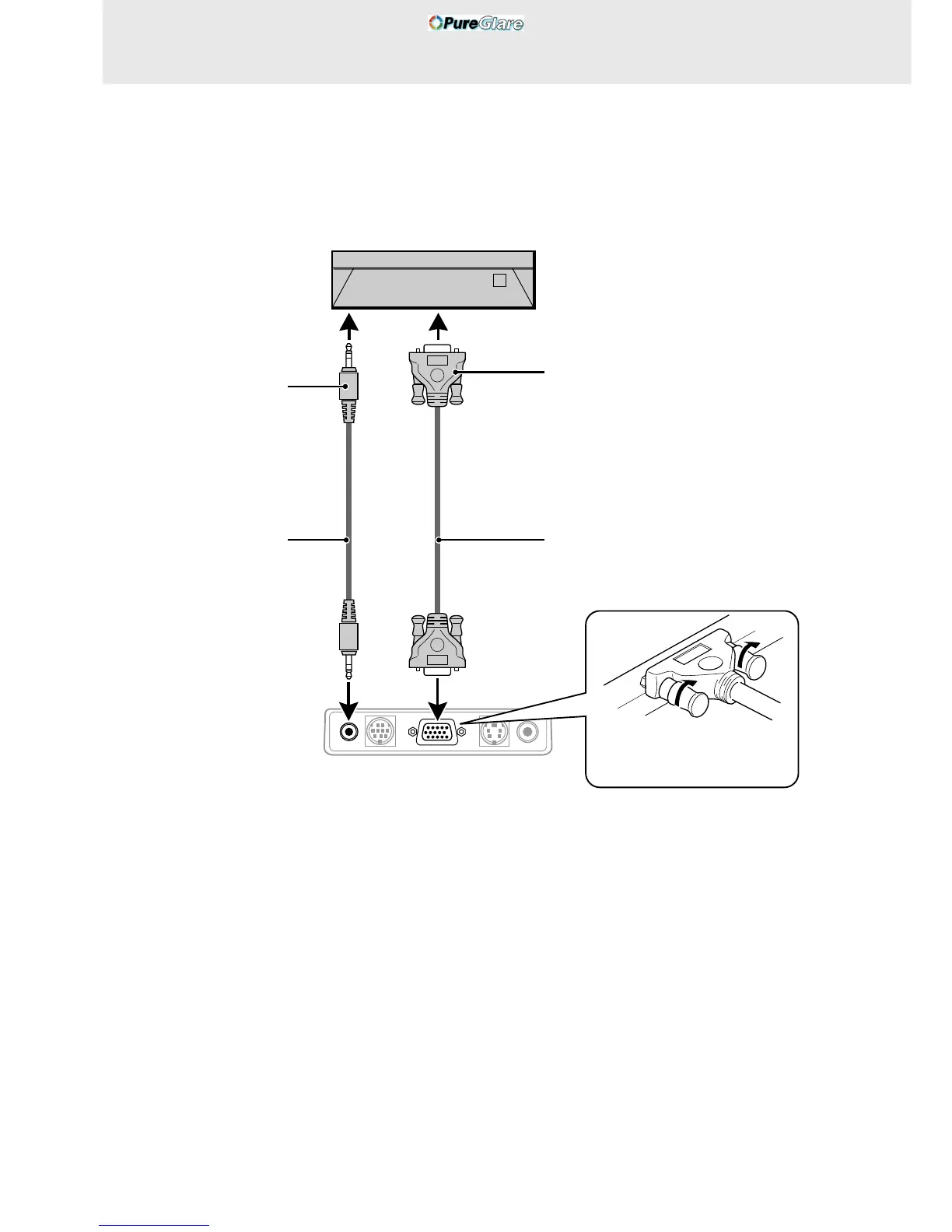
Connecting a PC or Macintosh
This projector can be used as a display for numerous applications by connecting the analog RGB output connector of a PC to the RGB/YCbCr
jack of this projector and setting the RGB/YCbCr connector to RGB (see page 27).
• Either read the instruction manual or contact the manufacturer concerning the method used to set your PC.
● IBM PC/AT compatible
● Macintosh mini D-sub 15-pin monitor output
connector.
To headphone jack
Audio cable (accessory)
Rear panel jacks of this device
Mini D-Sub 15-pin connector
RGB cable (accessory)
Plug in the connection cable
and tighten the screws.



 To Next Page