E – 5
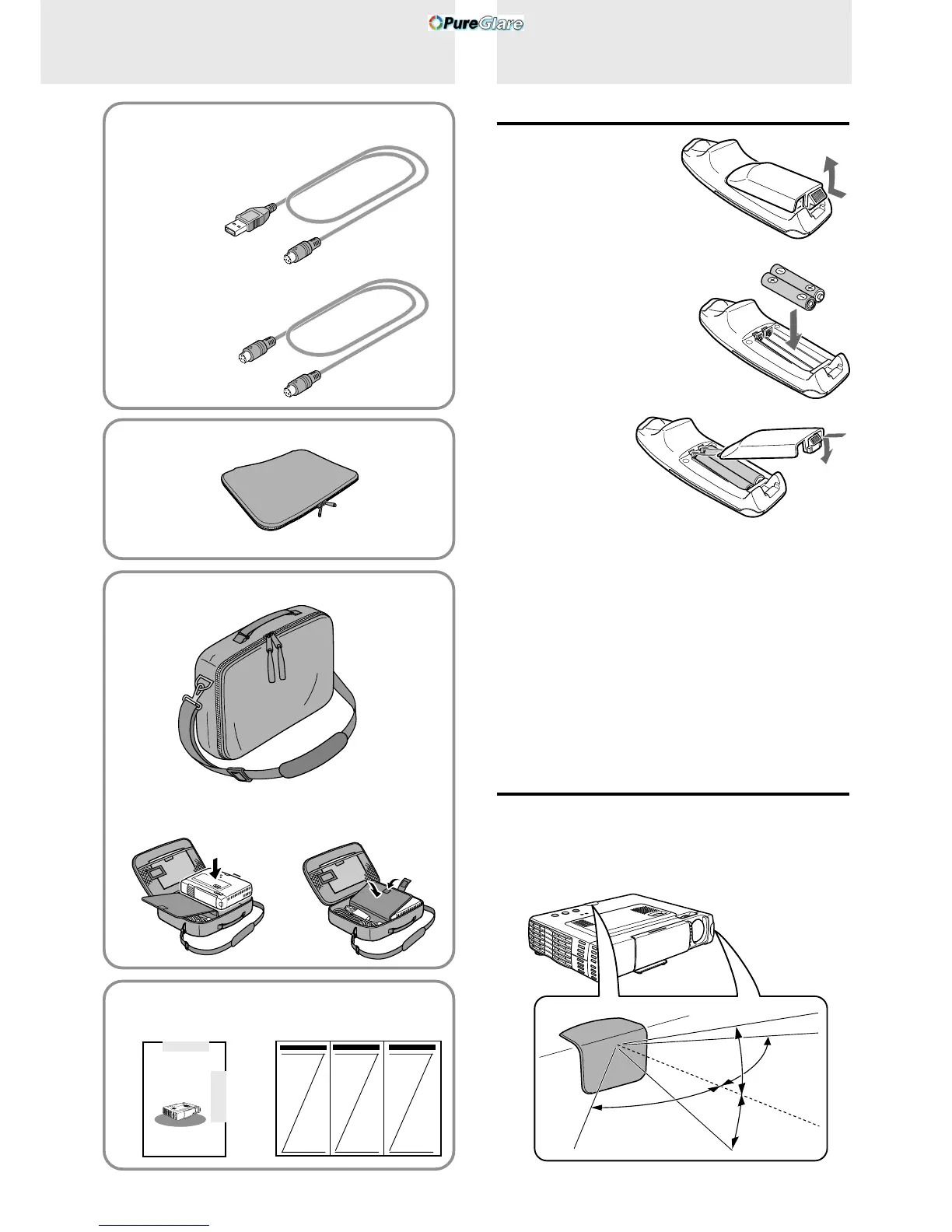
USB mouse cable (1 m/3.3 ft.) [1]
[for IBM / Macintosh]
No. 770707000
PS/2 mouse cable (1 m/3.3 ft.) [1]
[for IBM PS/2]
No. 770706000
When using the remote control as computer
mouse
Carrying case [1]
How to use the carrying case
Packing the unit
USER’S MANUAL
(this manual) [1]
Packing the accessories
Quick Start Guide [1]
Soft pouch [1]
Preparing the
remote control
Inserting the batteries
1 Press firmly and slide
the battery cover off.
2 Insert the two supplied
batteries (size AAA/
R03). Ensure that the
polarities (+ and –) of
the batteries are aligned
correctly.
3 Slide the cover
back until it
snaps into
place.
CAUTION
Danger of explosion if battery is incorrectly replaced. Replace only
with the same or equivalent type recommended by the manufacturer.
Dispose of used batteries according to the manufacturer’s instructions.
Notes
• If the remote control gets wet, wipe it dry immediately.
• Avoid excessive heat and humidity.
• If you will not be using the remote control for a long time, remove the
batteries.
• Do not mix new and old or different types of batteries.
• There are operations that can only be carried out by remote control.
Handle the remote control carefully.
Remote control effective range
The remote sensors are located on the front and back of the unit.
The controllable range is 50 degrees horizontally and 30 degrees
vertically relative to a line that is at a right angle to the remote
sensor. And the distance between the point of the remote control
and remote sensor must be shorter than four meters (13 feet).
30˚
30˚
50˚
50˚
PLUS
A
U
T
O
S
O
U
R
C
E
P
O
W
E
R
P
O
W
E
R
O
P
E
N
S
T
A
T
U
S



 To Next Page