E – 22
The picture elements such as brightness, contrast, white
balance, and so on can be adjusted individually for each
input source. The adjustable items vary depending on the
input source.
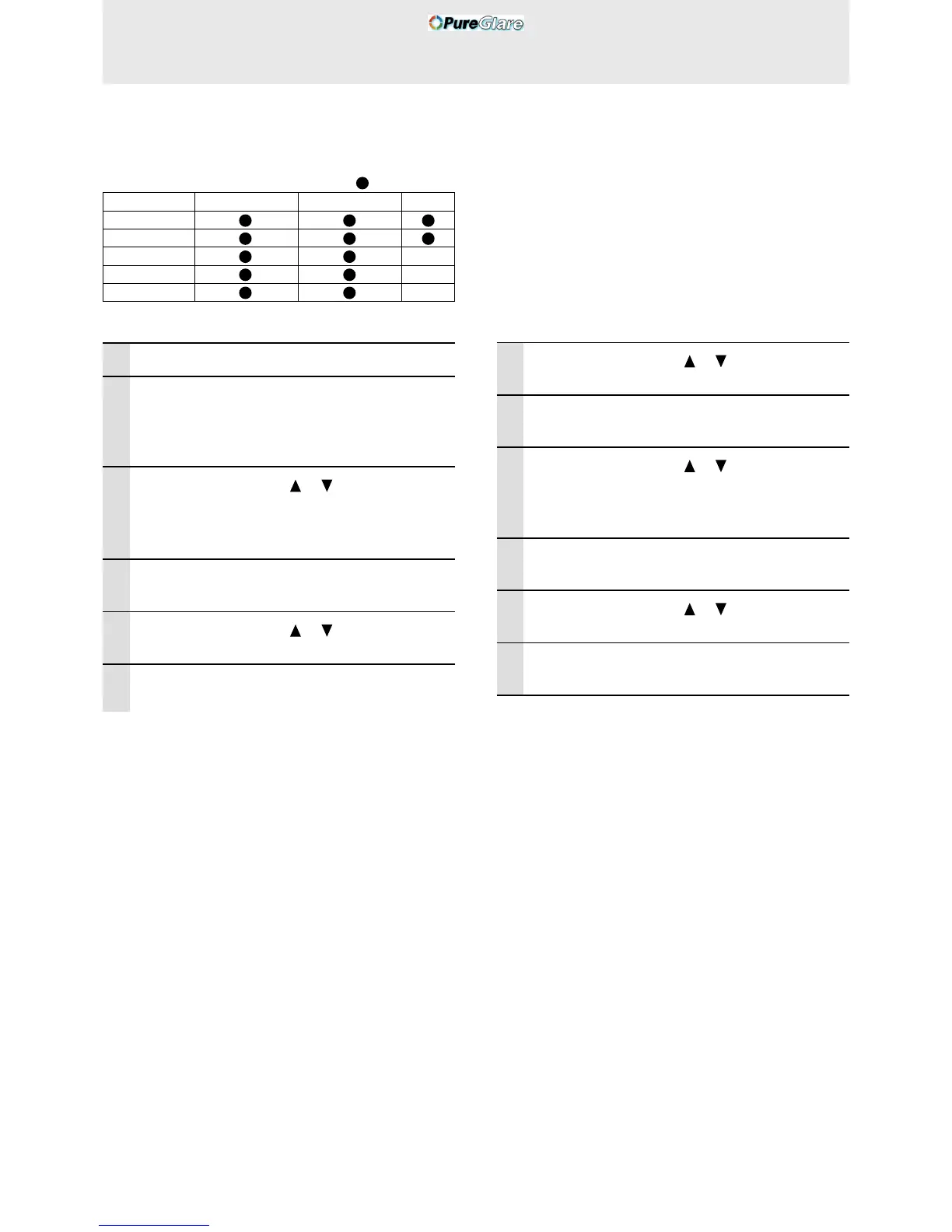
(The elements marked with “ ” are adjustable.)
Input source
VIDEO/S-VIDEO CONPONENT VIDEO RGB
BRIGHTNESS
CONTRAST
COLOR –
TINT –
SHARPNESS
–
1 Select the input source (see page 16)
2 Press the MENU button to display the
menu, hold down the cursor 씱 / 씰 keys or
the MENU button and then select “IM-
AGE”.
3 Press the cursor / keys to select
“BRIGHTNESS”.
The items that appear in the menu will differ
depending on the input.
4 Press the cursor 씱 / 씰 keys to adjust the
brightness.
5 Press the cursor / keys to select
“CONTRAST”.
6 Press the cursor 씱 / 씰 keys to adjust the
contrast.
Adjusting the picture elements
To close the menu
Press the CANCEL button.
For VIDEO, S-VIDEO and component video
(YCbCr) input.
7 Press the cursor / keys to select
“COLOR”.
8 Press the cursor 씱 / 씰 keys to adjust the
color.
9 Press the cursor / keys to select
“TINT”.
Note
This adjustment is not possible with the SECAM color system.
10
Press the cursor 씱 / 씰 keys to adjust the
tint.
11
Press the cursor / keys to select
“SHARPNESS”.
12
Press the cursor 씱 / 씰 keys to adjust the
sharpness.



 To Next Page