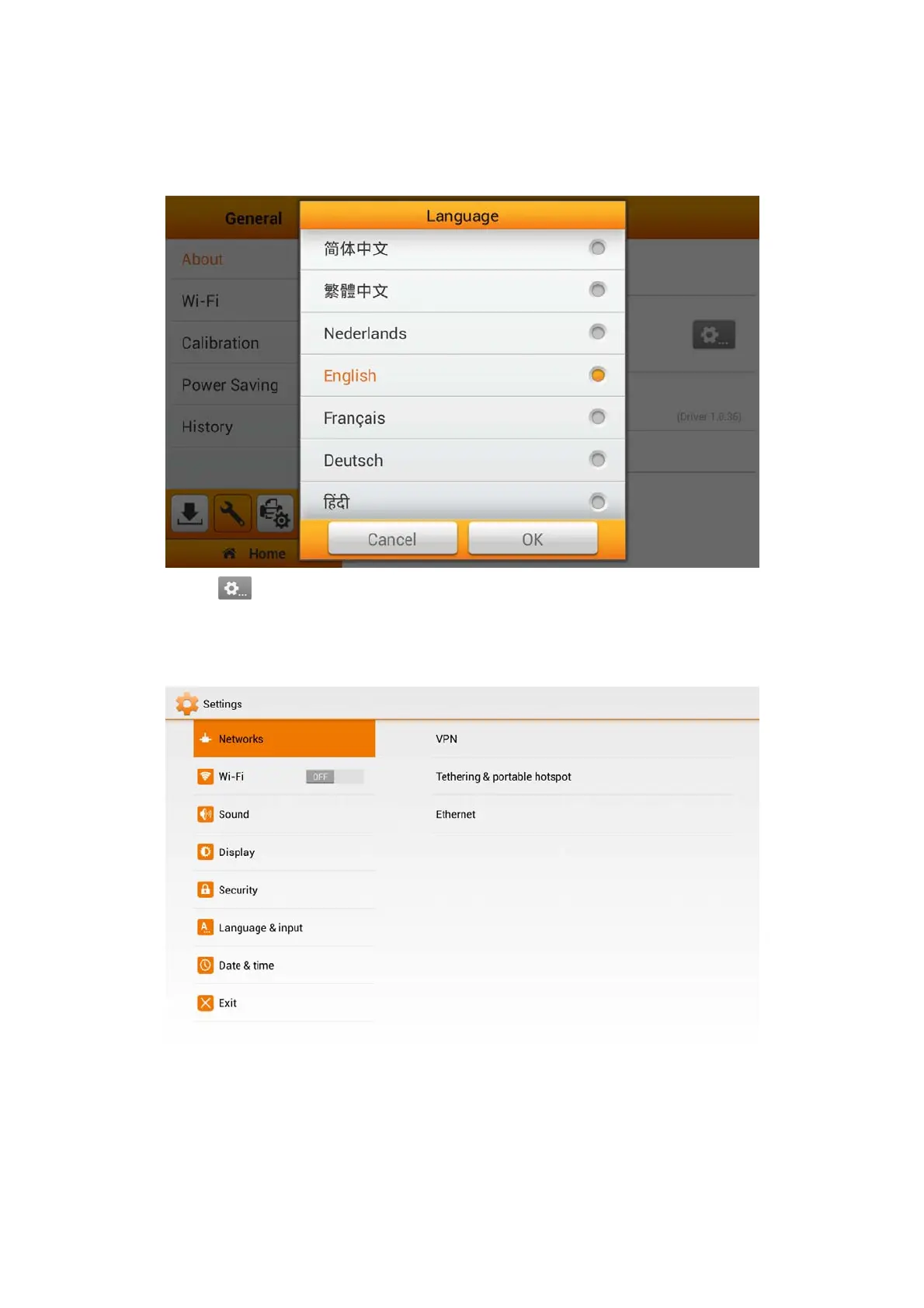
Tap on Language to open the Language setting dialog, select the desired
language and then tap the OK button to confirm the setting. The system will
automatically restart.
Tap on
to enter the Plustek Settings page, where you may configure advance
system related settings, such as, the Networks setting, enabling eScan as an Access
Point (AP), set a security code for the eScan, enable/disable touch sounds, the
brightness of the display and much more.
15















 To Next Page