EasyManua.ls Logo

Point Mobile PM67 - ScanSettings - Extended Wedge

Point Mobile PM67
84 pages
Print Icon
To Next Page IconTo Next Page
To Previous Page IconTo Previous Page
Loading...
PM67 Android 11 User Manual
Scanner
55
© 2021 Point Mobile Co., Ltd. All rights reserved
Extended wedge
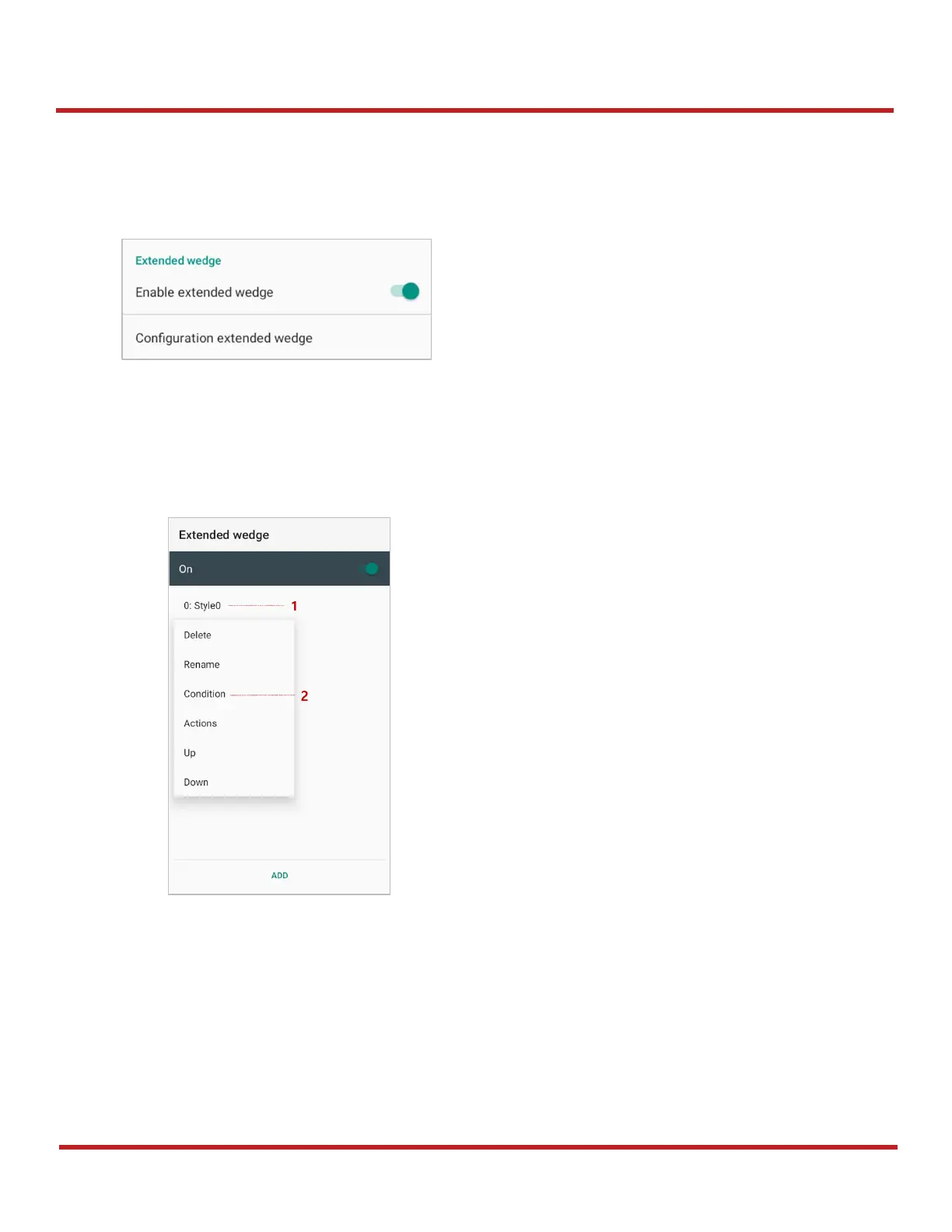
PM67 supports Extended wedge that allows to edit the decoded data. Tap
Enable extended wedge
toggle switch and then set a rule in
Configuration extended wedge
.
Point Mobile
decoding CODE128.
1. Tap
Style
(1) and select
Condition
(2).

Figure 63 ScanSettings - Extended wedge
Figure 64 Extended wedge example_1

Table of Contents

Other manuals for Point Mobile PM67

Related product manuals