EasyManua.ls Logo

Point Mobile PM67 - System Maintenance; System Information

Point Mobile PM67
84 pages
Print Icon
To Next Page IconTo Next Page
To Previous Page IconTo Previous Page
Loading...
PM67 Android 11 User Manual
Wireless
67
© 2021 Point Mobile Co., Ltd. All rights reserved
NFC (NFC SKU Only)
NFC feature is enabled by default. But if NFC does not work, make sure the NFC is enabled from
the Quick setting panel.
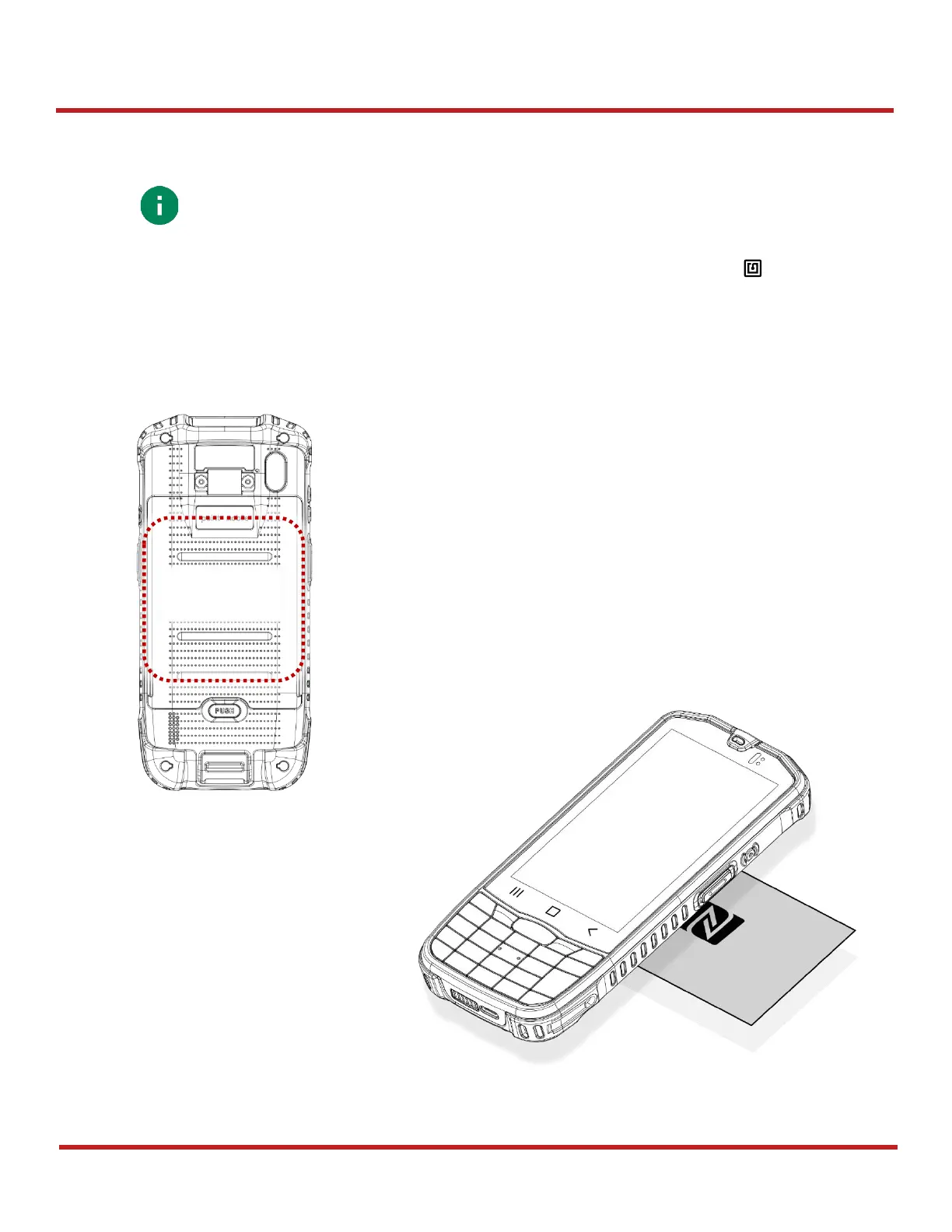
PM67NFC antenna is located on the battery cover. Bring the NFC tag close to the center of the
battery cover (Rear side of the device) as below.

Note:
NFC is supported on PM67 SKU2, SKU3 only. Check your PM67 SKU supports
NFC feature.
NFC Tagging
Area
Figure 88 PM67 NFC tagging area
Figure 89 NFC tagging

Table of Contents

Other manuals for Point Mobile PM67

Related product manuals