34 35
EN – Installation and operation guide SIMPLE MOVE 102
EN – Installation and operation guide SIMPLE MOVE 102
EN
EN
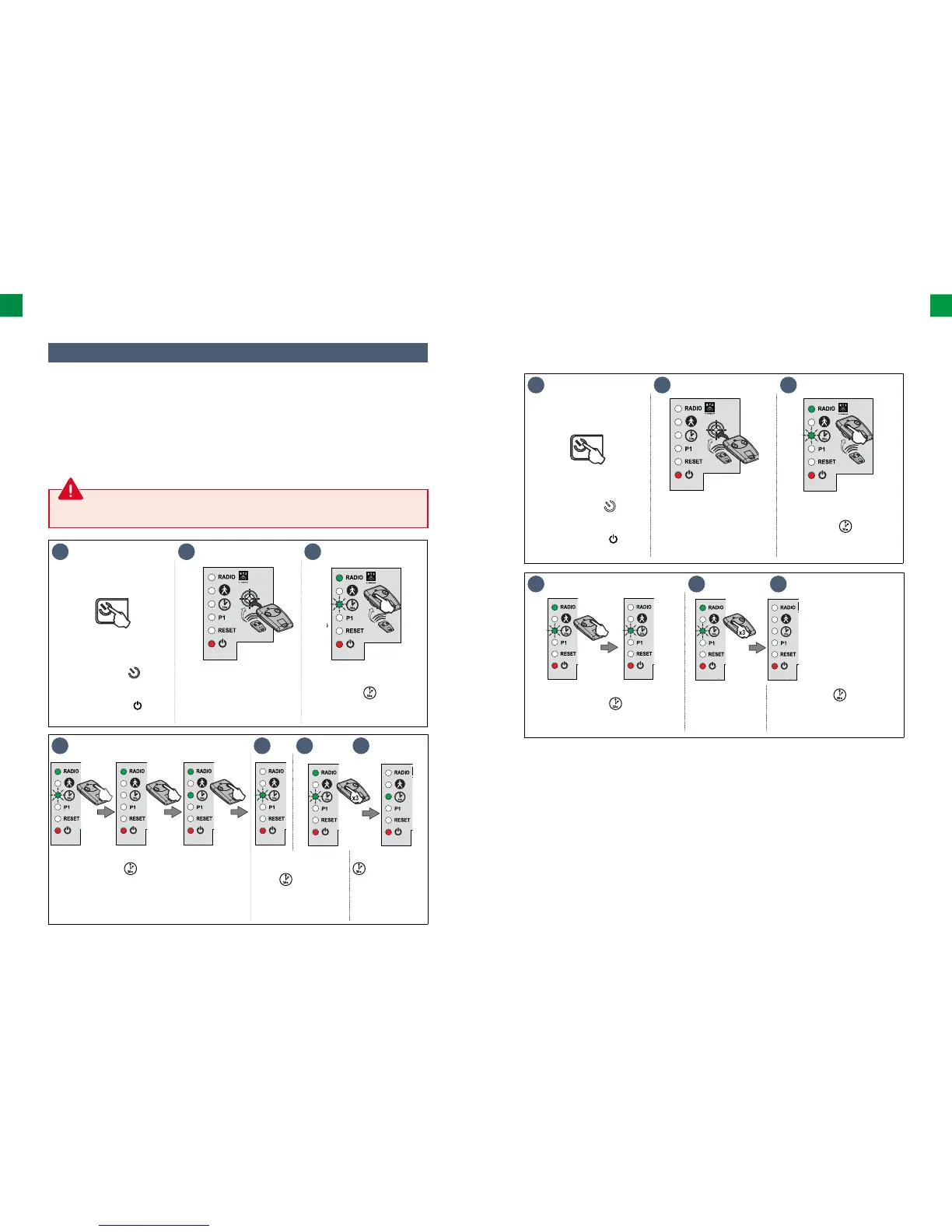
4.2 Automatic closing
4 5 6 7
• Keep button 2 of the remote control pressed until
the indicator light goes out and then lights up
and emits a continuous light.
• Aſt er releasing
button 2, the indicator
light
fl ashes;
press button 1 on the
remote control 3 times.
The indicator light
remains lit.
Automatic closing
is activated.
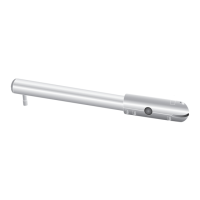
The automatic closing can be activated only if the photocells are connected and recognised by the
drive's electronic control system.
1 2 3
>2s
• Press and hold the button
of the electronic control
system for 2 seconds.
The indicator light comes
on.
• Place the remote control on
the electronic control system
target.
• Keep button 1 of the remote
control pressed until the
indicator light
starts
fl ashing.
▶ Activating automatic closing
▶ Automatic closing function
Press button 1 on the remote control to open the gate.
The gate closes again aſt er 30 seconds or 5 seconds if the photocells detect an obstacle.
Automatic closing can be interrupted by pressing button 1 on the remote control. In order to close the
gate, press button 1 on the remote control again.
1 2 3
>2s
• Press and hold the button
of the electronic control
system for 2 seconds.
The indicator light comes
on.
• Place the remote control on
the electronic control system
target.
• Keep button 1 of the remote
control pressed until the
indicator light
starts
fl ashing.
4 5 6
• Press button 2 on the remote control.
The indicator light fl ashes.
• Press button 1 on
the remote control
3 times.
The indicator ligh is off .
Automatic closing is deactivated.
▶ Deactivating automatic closing



 To Next Page