Page 8
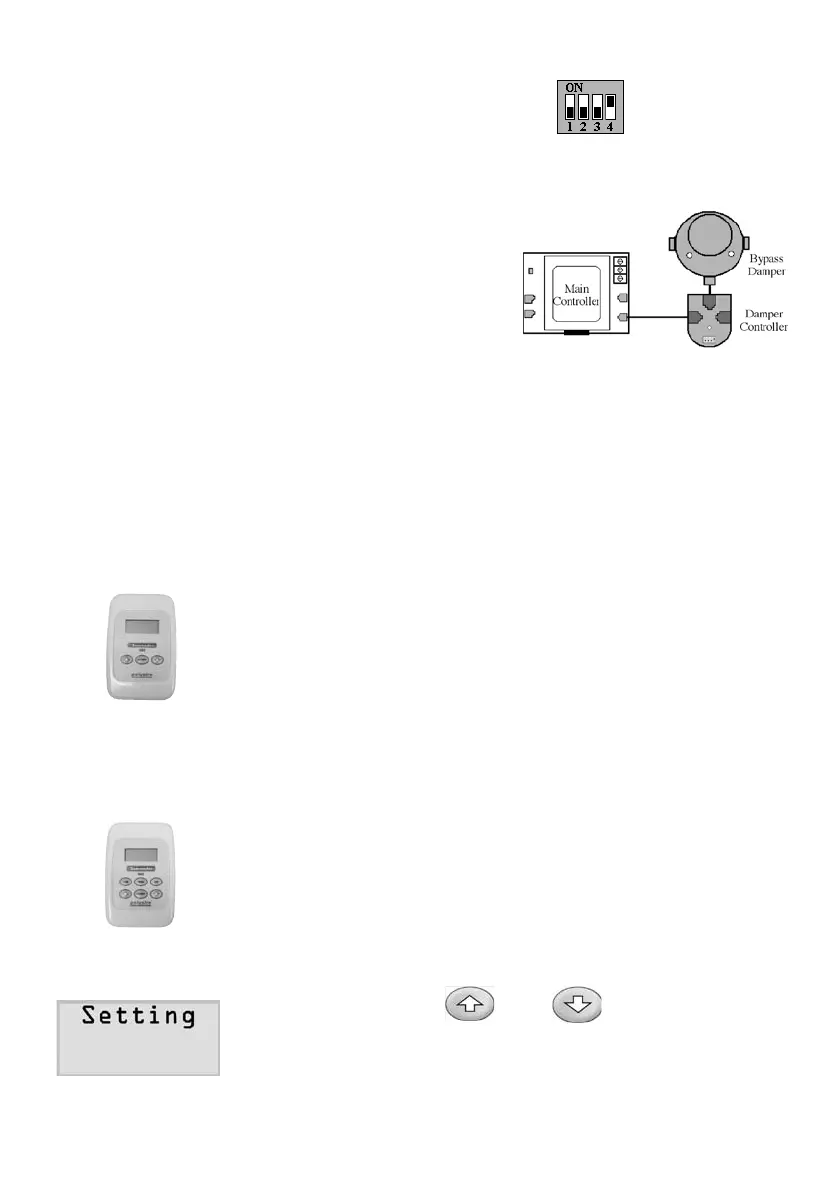
2) Take off the small cover on the top of the
damper controller and set a special address
forthebypassdampercontroller.
3)
Use a pre-tested control cable to
connectthebypassdamper
controllertothe‘point’socketonthe
main controller board. Make sure
theredlightonthedampercontroller
ison.Otherwise,checkthecableand
the connection.
COMMISSIONING
TheZonemasterVAVsystemhasseveralparametersthatmustbesetin
thecommissioningstage.
Zonetouchpad(3button)canonlysetthreezoneparameters:
1)
Touchpad Address
2)
Temperature Sensor
3)
Minimum Ventilation
Mastertouchpad(6button)cansettheaboveparametersandthree
systemparameterslistedbelow:
1) SupplyAirSafetyHigh&LowLimits
2) SpillBypass/AirSetpoint
3) NamingZones
1.InitiatingandExitSettingProcess
1) Holddownbothandbuttonsforabout
5secondsuntiltheLCDdisplays‘Setting’onthe
top line of the LCD screen.



 To Next Page