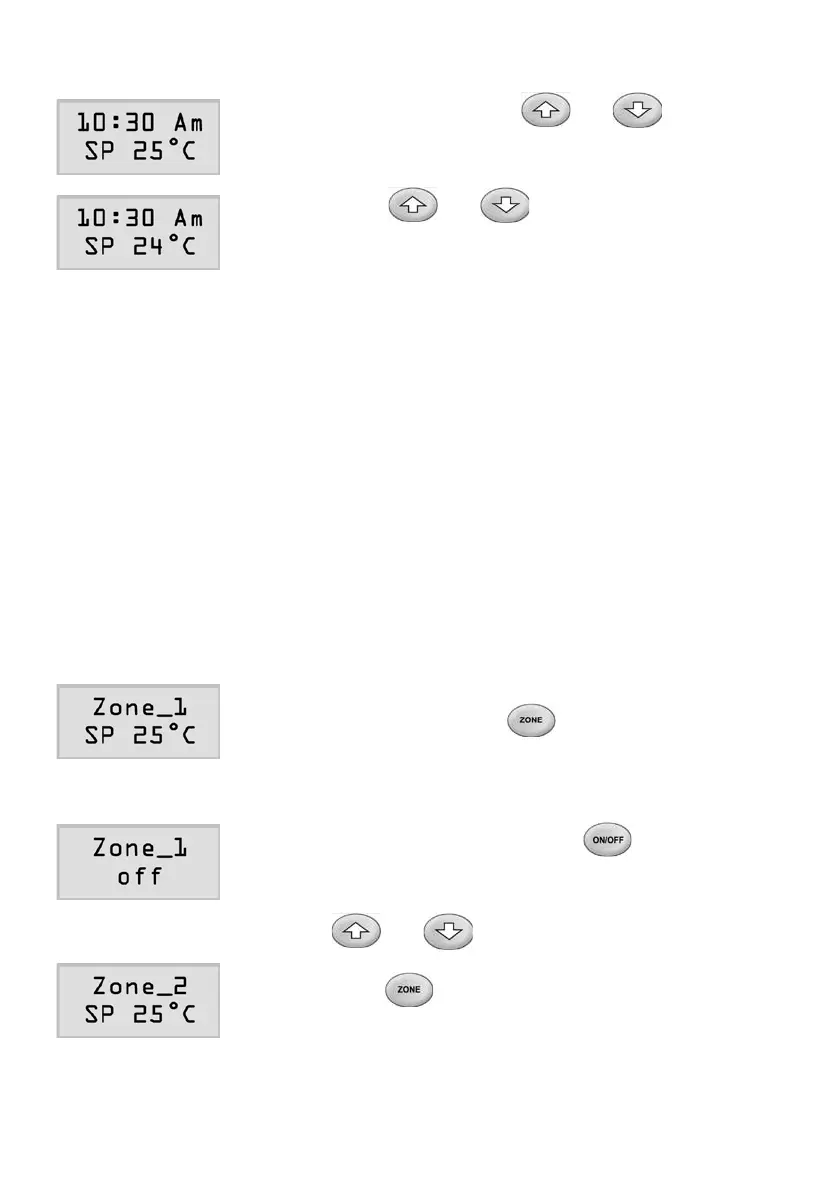
ZoneTemperatureSetting
1) In‘on’status,pressorbutton
once to allow the setpoint of the zone to be
displayedonthesecondlineoftheLCD.
2) Pressorbuttonagaintoadjust
the setpoint to the desired value.
3) The screen will return to zone temperature
displayin20secondswithnokeybeing
pressed.
Master Touchpad
ZoneOn/OffControlandTemperatureSetting
Master touchpad controls the temperature of the zone where it is located
besidesitsfunctionofsettingotherzonestemperatures.Itsoperationfor
on/offcontrolandtemperaturesettingarethesameasthezonetouchpad
described in above section.
All Zone Browse
1) Amastertouchpadcanbrowsethroughallthe
zonesbypressingbutton.Whenazone
hasbeenselected,thezone’snameandits
setpointor‘off’statusareshownontheLCD
screen.
2) Inbrowsemode,pressingbuttononce
will turn the selected zone on or off.
3) Whenaselectedzoneisin‘on’status,press
or button to adjust the setpoint to
the desired value for the zone.
4) Pressbuttonagain,usercanselectnext
zonefortemperaturesettingoron/offcontrol.
Page 17



 To Next Page