Page 5
INSTALLATION
1) Removethe3coversfromthemaincontrolboard.
2) Position the main controller on top of the fan coil unit or on the
supplyairductandsecure.
3) Connectthe24VACpowersupplytotheterminalsN+Lonthemain
controllerboard.Whenturningonthepower,theredLEDwill
illuminatetoshowthatthemaincontrollerisready.
3) Mountthesupplyairsensorinthesupplyairductupstreamfromthe
motoriseddampers.Plugthesensorintothesocketonthemain
controller board.
4) Connectthebatterybypluggingintothesocketonthemain
controller board.
5) Use two pre-tested data cables to connect the main controller
(touchpad 1-8 socket) and a touchpad via a double left latched
adaptor,asshowninFigure2.TheLCDonthe
touchpadshouldshowtheclockaftersettinga
unique address to the touchpad. (Refer to the
commissioningsection)Otherwise,checkthe
connection and the cables.
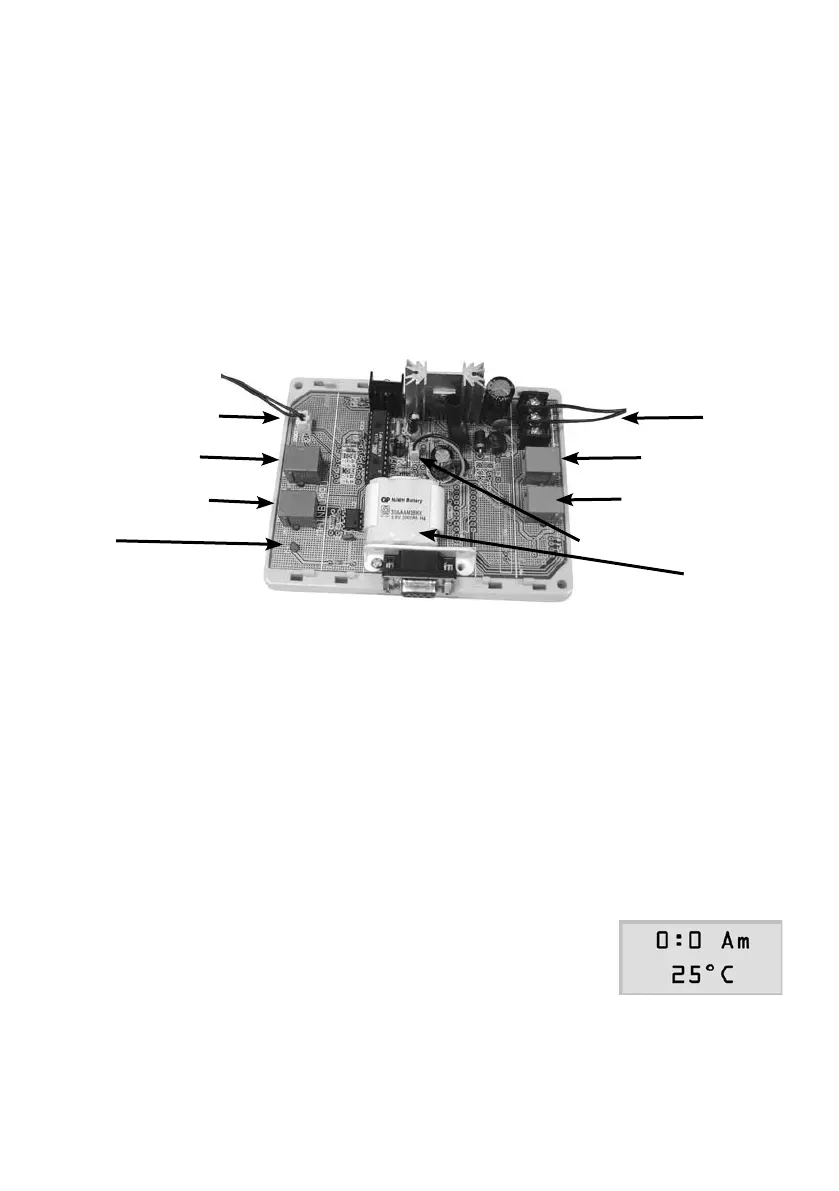
SENSORSOCKET
TOUCHPAD 1-8
TOUCHPAD 9-16
LED
24 VAC
VAV DAMPERS
BYPASS DAMPER
BATTERY CONNECTOR
BATTERY



 To Next Page