Page 10
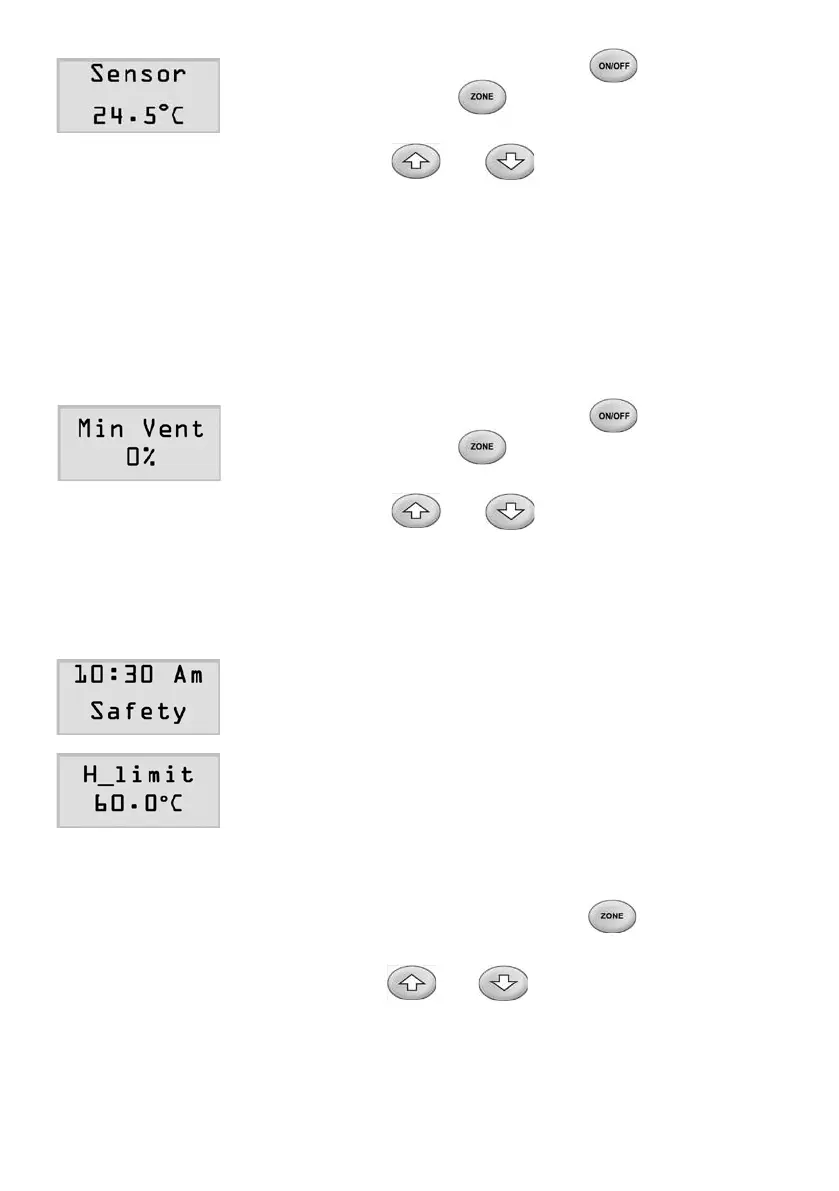
2) Atthesettingmode,press(zone
touchpad) or (master touchpad) button
untiltheLCDdisplaysthe‘Sensor’screen
3) Press or button to adjust the
displayedvaluetotherecordedvalue.
4. Minimum Ventilation
Customersmaypreferminimumventilationduringtheclimatecontrol.
Thisventilationallowsaminimumairowintothezonethatisswitchedon.
Theamountofventilationcanbesetfrom0to30%openwithadefault
of0%.
1) Atthesettingmode,press(zone
touchpad) or (master touchpad) button
untiltheLCDdisplaysthe‘MinVent’screen.
2) Press or button to adjust the
percent value of the minimum ventilation as
desired.
5.SupplyAirSafetyHigh&LowLimits-MasterTouchpad
Forsafetyreasons,thesystemmonitorsthesupply
airtemperatureclosely.Ifthetemperaturemoves
outsideofthelimits,alldampersinthesystemare
forcedopenandtheLCDdisplays‘Safety’
onscreen.Thefactorydefaultsofsupplyairsafety
high&lowlimitsare60°Cand5°Crespectivelyand
thesafetycontrolisdisabled.
1) Atthesettingmode,pressbuttonuntil
theLCDdisplaysthe‘H_limit’screen.
2) Pressorbuttontochangethe
highlimittothedesiredvalue.Theadjustable
rangeofthehighlimitisfrom45°Cto75°C



 To Next Page