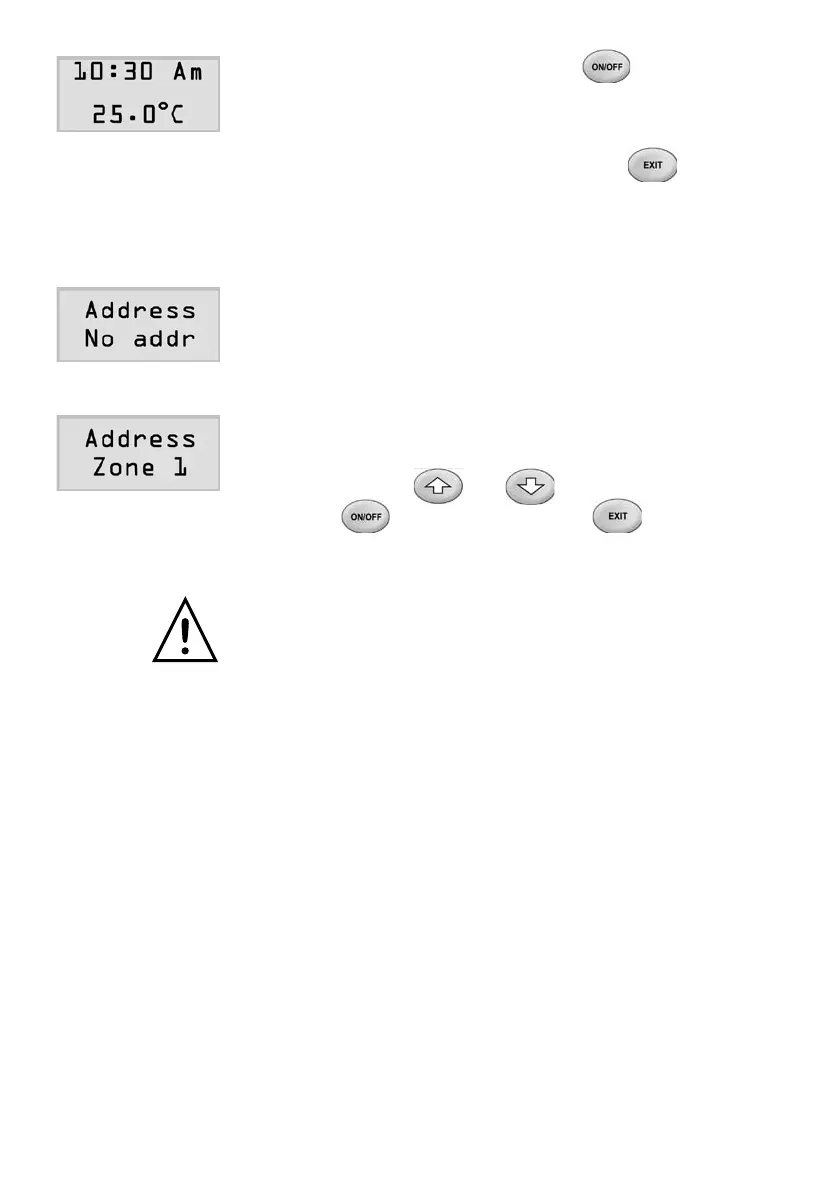
2) Forzonetouchpads,pressingbuttonafter
thesettingofallthreeparameterswillreturntothe
normal operation mode.
3) For the master touchpad,pressingbutton
will return to the normal operation mode.
2.InitialisationofTouchpadAddress
Each touchpad (zone) must have a unique address
from1to16tobeidentiedbythemaincontroller.
Thetouchpadhasafactorydefaultof‘Noaddr’that
cannotbeidentiedbythemaincontroller.
Thetouchpadneedstobeinitiatedbyallocating
a unique address. The allocation can be carried
outbypressingorbutton,andthen
pushing(zonetouchpad)or
(master touchpad) button.
Please note that each touchpad (zone) must have
auniqueaddress.Thesameaddressforanyoftwo
touchpads will cause communications problem
between the main controller and touchpads, and
thetouchpadLCDshows‘CheckAddress’
3. Room Temperature Sensor
Each touchpad has an onboard sensor to measure the temperature of
the room for temperature control. The sensor can be calibrated to provide
more accurate temperature control.
1) Usinganaccurateprobetomeasurethe
temperature of the area user wants to calibrate
and record the value.
Page 9



 To Next Page