Page 12
7.NamingZones-MasterTouchpad
Thenameofazoneiscalled‘Zone_addr’.Forexample,zone1,which
hasanaddressof1,iscalled‘Zone_1’onitsfactorydefault.Thenames
canbecustomisedasfollows:
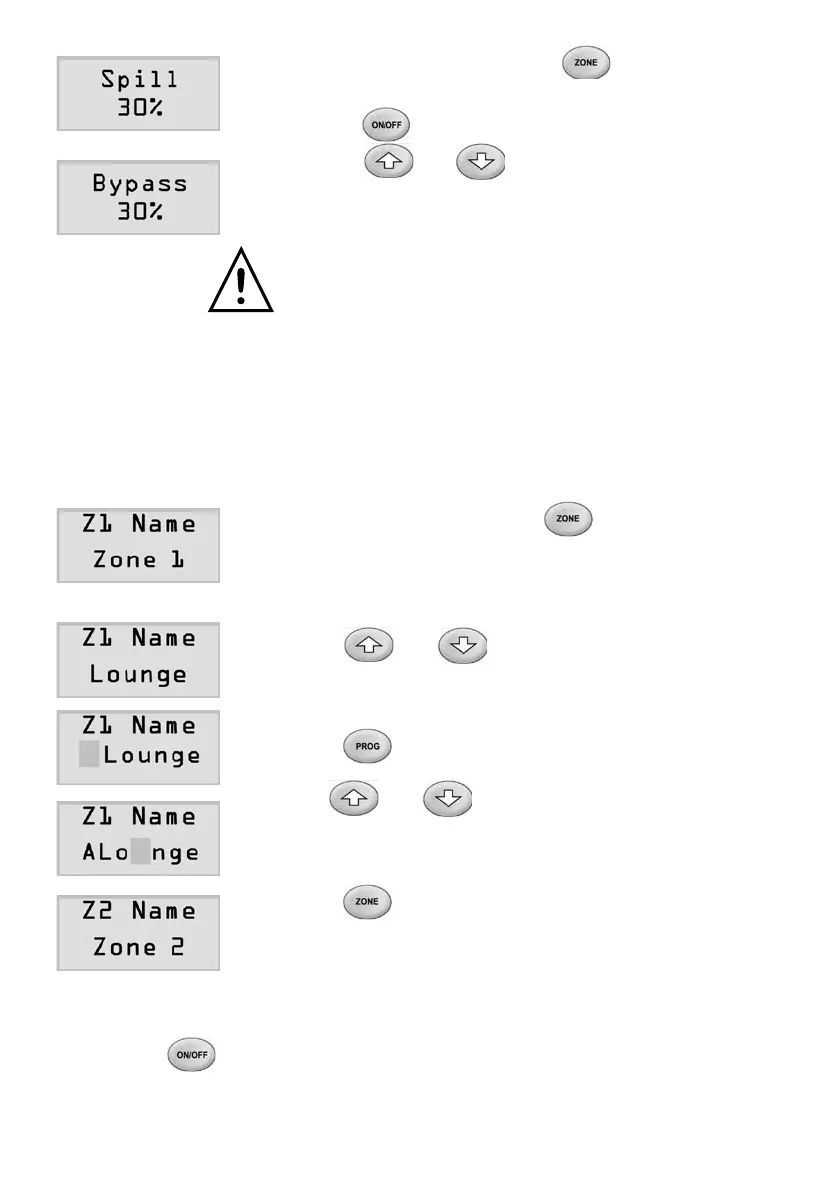
1) Atthesettingmode,pressbuttonuntil
theLCDdisplaysthe‘Spill’or‘Bypass’screen.
2) Pressbuttontoselectspillorbypassmode.
3) Pressorbuttontochangethe
spill/bypasssetpointtoitsdesiredvalue.
Theadjustablerangeisfrom0%to50%.
Werecommendasettingof30%ormoreto
safeguardDuct.Ifnospillorbypasscontrolis
required in the system, the setpoint MUST be
setto0%.
1) Atthesettingmode,pressbuttonuntil
theLCDdisplaystherstzonename,for
example‘Z1Name’onthetoplineoftheLCD.
The second line shows the current name of
zone 1.
2) Press or button to select one of
the preset zone names for the zone. There are
26presetnamesinthelist.
3) Tomakechangestothepresetselectedname,
press button to move to the character
thatisashing.
4) Use or button to select the
characterfromthelistasdesired.Thereare26
lettersincapitalandnormalcase,10numbers
and a space in the list.
5) Pressbuttontoselectthenextzone
namingscreenandfollowsteps2to4to
customise the name of the zone.
8. Damperon/offTest
1) Switch on the air conditioner.
2) Press button to turn a zone on or off to check if the damper is
correctlyconnectedbyfeelingtheairattheoutlet.RefertoUser’s
manual for the operation.



 To Next Page