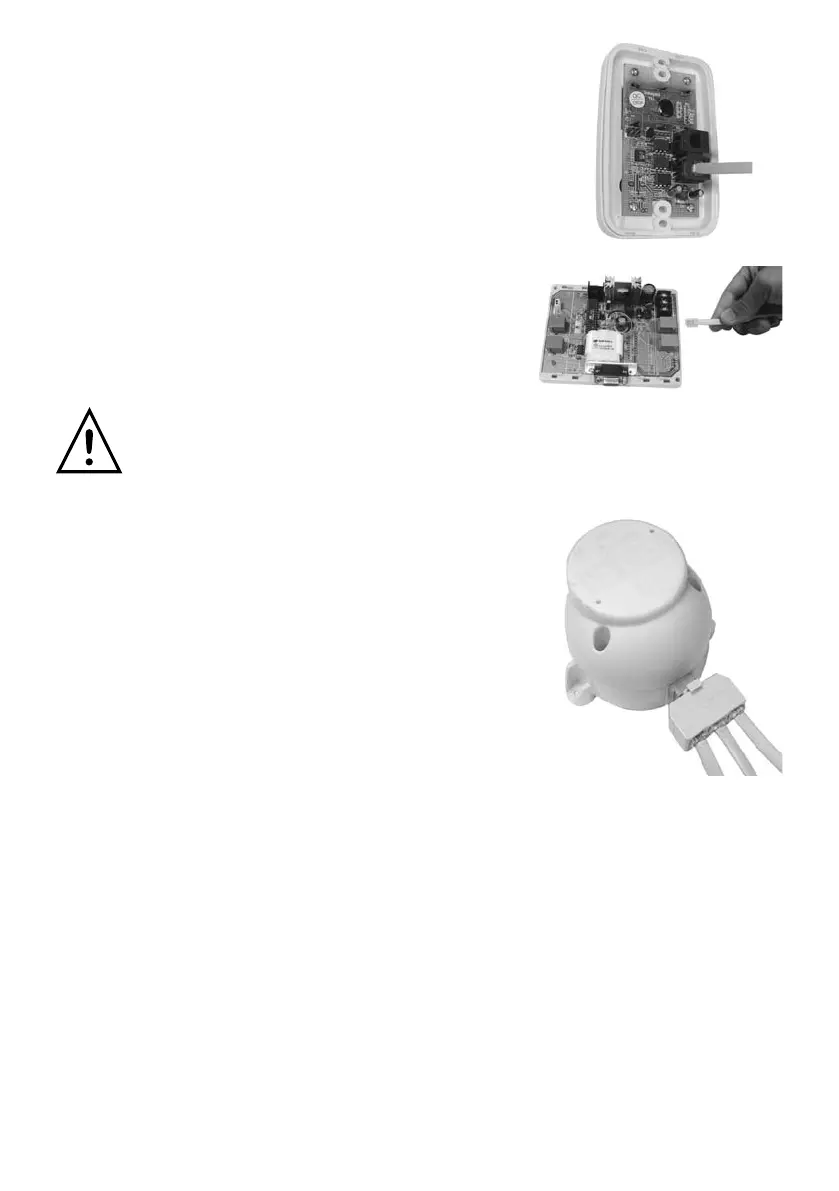
6) Repeat step 5) to connect all the
touchpadsaccordingtoFigure2and3.
Makesureeverytouchpadisworking
correctlybycheckingtheclockandthe
temperaturedisplayedonthetouchpad.
7) Plugacontrolcableintothe‘VAV’socket
on the main board and the other end into
the‘24VacIN’portonatripleadaptor.
Plugthetripleadaptorintothemotorised
damper closest to the main board.
Warning - Only yellow Polyaire™
Dampers are compatible with the
system.
8) Useanothercontrolcabletopluginto
‘24VacOUT’portonthetripleadaptor
andtheotherendofthecableto‘24Vac
IN’portontheotheradaptorforthenext
motorised damper.
9) Follow Step 8) to connect all motorised
dampersinseriesasshowninFigure2.
10) Plugoneendofacontrolcableintothe
‘touchpad’socketonthetripleadaptor
and the other end into the socket on
the back of the touchpad.
11) Follow step 10) to connect all the
dampersandtouchpadstogether
asshowninFigure2.
Page 6



 To Next Page