Configuration Files
A - 81
This configuration attribute is defined as follows:
Animations <anim/> <IP_300/>, <IP_330/>, <IP_400/>, <IP_500/>,
<IP_600/>, <IP_4000/>, and <IP_7000/>
This section defines bitmap animations composed of bitmap/duration
couples. In the following table, x=IP_300, IP_330, IP_400, IP_500, IP_600,
IP_4000 or IP_7000, y is the animation number, z is the step in the animation.
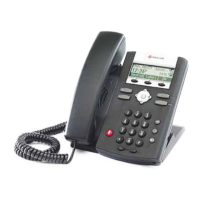
Note that IP_300 parameters affect SoundPoint IP 301 phones, IP_330
parameters affect SoundPoint IP 320 and 330 phones, IP_400 parameters affect
SoundPoint IP 430 phones, IP_500 parameters affect SoundPoint IP 501 phones
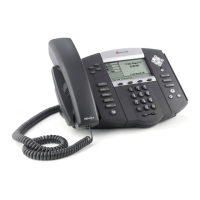
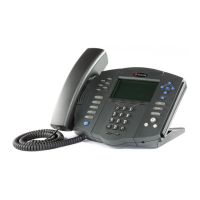
and IP_600 parameters affect SoundPoint IP 550, 560, 600, 601, 650, and 670
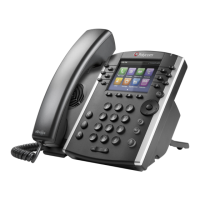
phones, IP_4000 parameters affect SoundStation IP 4000 and 6000 phones, and
IP_7000 parameters affect SoundStation IP 7000 phones.
Attribute
Permitted
Values Default Interpretation
ind.idleDisplay.mode 1 (default), 2,
3
Null The idle display animation screen layouts.
For example, for the SoundPoint IP 330/320:
• If set to 1 or Null, the idle display animation
size is 87 x 11 pixels.
• If set to 2, the idle display animation size is 87
x 22 pixels.
• If set to 3, the idle display animation size is
102 x 22 pixels.
ind.idleDisplay.enabled 0, 1 0 If set to 1, the idle display may support
presentation of a custom animation if configured
in the animation section of sip.cfg.
Note
As of SIP 2.2.0, a maximum of 24 frames per animation is supported.
Attribute Permitted Values Interpretation
ind.anim.x.y.frame.z.bitmap A bitmap name defined
previously.
Bitmap to use.
Note that it must be defined already, refer to
Platform <IP_300/>, <IP 330/>, <IP_400/>,
<IP_500/>, <IP_600/>, <IP_4000/>, and
<IP_7000/> on page A-80.
ind.anim.x.y.frame.z.duration positive integer Duration in milliseconds for this step. 0=infinite.








 To Next Page