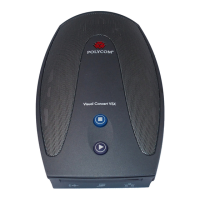
Polycom CX5000 System User’s Guide
Add an additional phone to an existing conference call (three-way call ................... 18
Call waiting ................................................................................................................. 18
Accept a call during a conference .............................................................................. 18
Getting Started with Unified Communications Conferencing .................................... 19
Choose a conferencing method ................................................................................. 19
Using Microsoft Lync 2010 ....................................................................................... 20
User Operations ......................................................................................................... 20
Place an audio or video call to a single contact ......................................................... 20
Place an audio or video call to multiple contacts ....................................................... 20
Send an instant message ............................................................................................ 20
Answer an audio call .................................................................................................. 21
Answer a video call ..................................................................................................... 21
Answer a conference or content call.......................................................................... 21
Decline a call ............................................................................................................... 21
Redirect a call ............................................................................................................. 21
Join a meeting ............................................................................................................ 21
Add video to an audio call .......................................................................................... 22
Add participants to a call in progress ......................................................................... 22
Send a file ................................................................................................................... 22
Share content ............................................................................................................. 22












 To Next Page