7
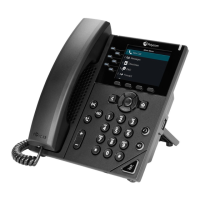
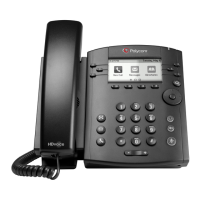
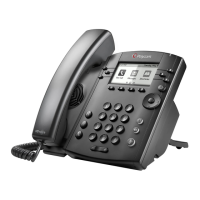
Polycom VVX 300
To put a call on Speaker Phone:
• Press SP Phone (right side of dial pad)
• The button will turn green when active.
To mute a call, press the mute button.
• The display will show a microphone with an X slash through it and the indicator light will turn red.
To put a Call on Hold
• Press the soft key that is labeled HOLD or the HOLD button (right side of key pad).
To Pick up from Hold, do not pick up the handset
• Press RESUME
• Press Hold button
• Use Speakerphone or pick up the handset
Voicemail
• Ask your system administrator to be sure voicemail is enabled, to get the voice portal # and default password.
• For more information, please review the Voice Portal User Guide (add hyperlink to user guide here)for more
information.
• The first time you call your Voicemail, you will need to set up a new passcode and record your spoken name.
Simply follow the voice prompts.
From your Masergy phone
• Press the envelope (left side of dial pad)
• Tap Message Center
• Enter your passcode and press #.
From any phone
• Dial your extension or DID# and wait for the voice mail to pick up.
• Press *.
• Enter your passcode and press #.
or




 To Next Page