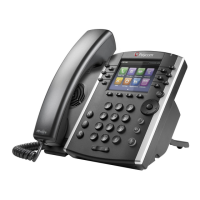
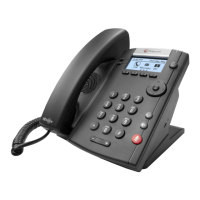
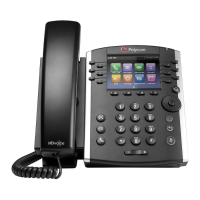
PLACING AUDIO CALLS
HOW TO PLACE A CALL
1) Do one of the following:
• Start typing a phone number.
• Press a line key.
• Pick up the handset or press the
Speakerphone key or if using a headset,
select the Headset key.
2) Select New Call
Enter a telephone number (for outgoing calls,
enter 9 before dialing the ten-digit telephone
number) and select dial. Or using the navigation
key, select a recent contact and select send.
HOW TO PLACE AN INTERNATIONAL CALL
1) In the Dialer, quickly press the star key*
twice. This will display a plus sign +.
2) Enter the rest of the number and press Dial
or tap the Dial icon.
TO PLACE CALLS FROM THE RECENT CALLS LIST:
1) Select the Directories button and navigate to
Recent Calls.
2) From the Calls List screen, select a contact
and select Dial.
TO REDIAL A NUMBER:
• Select the Redial icon on the Home screen.
This will instantly redial the last number
called.
TO ADD A FAVORITE
1) Select Directory
2) Navigate to Recent Calls
3) Select Info
4) Select Save
5) Label the Contact with their first name, last
name, and any other applicable details.
6) Select Save
The contact will now be saved in Directories under
Favorites
TO SAVE THE FAVORITE AS A LINE KEY
1) Navigate to Favorites
2) Select the contact
3) Hold down the line key you would like to
associate the favorite with.
TO CALL A CONTACT FROM YOUR CORPORATE
DIRECTORY
1) Select Directory/Directories
2) Select Contact Directory
3) Scroll to find the contact you’re looking for or
select search and enter the first or last name
and select search
4) Once the contact has been selected, press the
dial button.
ANSWER AUDIO CALLS
HOW TO ANSWER A CALL
To answer an incoming call, do one of the following:
• Pick up the handset
• To answer the incoming call using
speakerphone, select the speakerphone key or
select Answer.
• To answer the call using your headset, select
the headset button.
HOW TO ANSWER AN INCOMING CALL DURING A
CALL
• Select Answer. The incoming call becomes
active and the active call is placed on hold.


 To Next Page