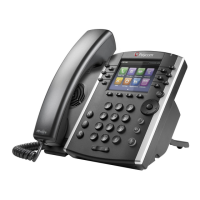
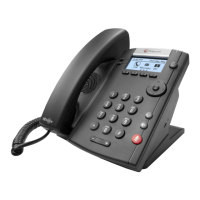
ANSWERING CALLS ON SHARED LINES
• Incoming calls to a call group cause all
registered phones to ring, and the call can be
answered on any of the phones. When you or
another person answers the incoming call, a
green indicator light is displayed on the line
key on all phones for the shared line. A red
indicator light will display on an individual’s
phone who is not a part of the call group but
would can still pick up the call.
HOW TO SWITCH AMONG THE HANDSET, HEADSET,
AND SPEAKERPHONE
• During a call, pick up the handset, press the
Headset key or press the Speakerphone key.
For example: If you’re using the handset, press the
Headset key to switch to the headset, or press the
Speakerphone key to switch to the speakerphone.
• When using the speakerphone, the
Speakerphone key glows green. When using
the headset, the Headset key glows green. If
an analog headset is connected or blue if a
USB headset is connected.
MUTE AND UNMUTE AUDIO
You can mute the microphone, so the caller cannot
hear you. Microphone Mute applies to the handset,
headset, and speakerphone. You can still hear all
other parties when you mute your microphone.
When your audio is muted, the Mute icon is
displayed, and the Mute key glows red
To mute and unmute the microphone:
1) During a call, including a conference call, press
the Mute key. The other parties cannot hear
you.
2) Press the Mute key again to unmute the
microphone
END AUDIO CALLS
You can end an active call on your phone at any
time.
TO END ACTIVE CALLS:
Do one of the following:
• Place the handset on the cradle.
• Press End Call. Note**You cannot end calls
that are on hold. You must resume held calls
before ending them.
TO END A HELD CALL:
• From the Calls screen, select the held call and
press Resume > End Call.
HOLDING AND RESUMING CALLS
When you are in a call, you can place a call on hold
and resume the call.
HOLD CALLS
To hold a call:
• During an active call, select the Hold softkey
or the button.
TRANSFERRING CALLS
You can transfer active or held calls to another
person using the following transfer types:
• Unattended transfer: Transfer calls directly to
another line without speaking with the other
party first.
• Attended transfer: Speak with the other party
before completing the transfer.
HOW TO TRANSFER A CALL
1) Press Transfer
• Unattended Transfer: Dial a number or
choose a contact from the call list or directory
and hang up or press transfer again.
• Attended transfer: Dial a number or choose a
contact from the call list or directory. Please
stay on the phone and press transfer after
introducing the call to your contact.


 To Next Page