8
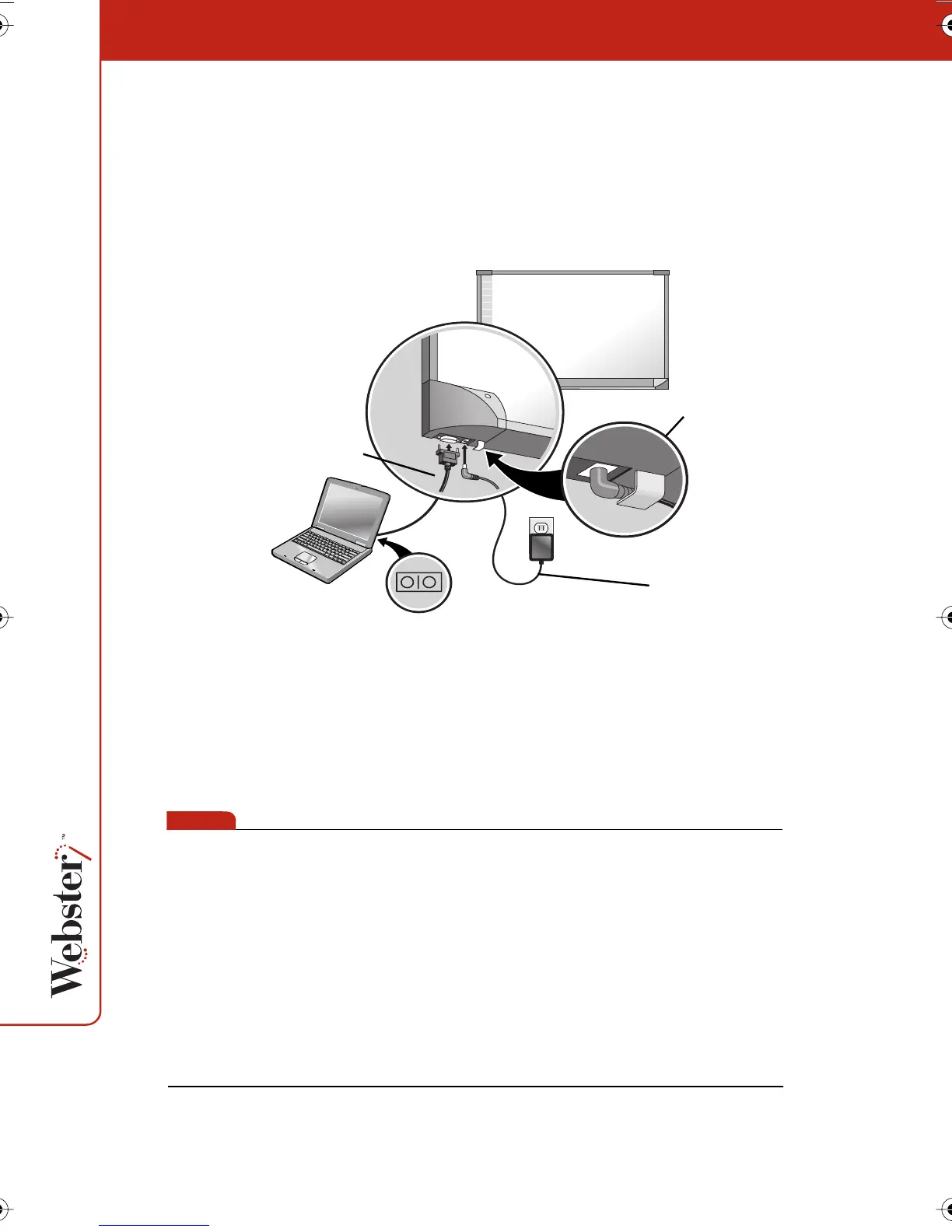
To connect the whiteboard to your computer:
1 Plug the AC power cord into the power connector on the bottom
of the whiteboard, next to the serial port.
2 Twist the cord behind the cable bracket.
3 Plug the power cord into an electrical outlet.
4 Plug the 9-pin male end of the serial port cable into the
whiteboard and tighten the screws.
5 Plug the other end into your computer’s serial port (if necessary,
use a USB to 9-pin serial adapter available from your Webster
dealer).
note:NOTE:
The maximum serial port cable length is 25 feet (7.5 meters). For
greater distances, a serial amplifier is required (available at
computer networking suppliers).
AC power cord
9-pin serial cable
cable bracket
Webster_draft2.book.mif Page 8 Friday, October 11, 2002 10:07 AM



 To Next Page