58
Printing Snapshots in Windows
You have the option to print the board image at any time. In
Windows, you can customize the printed colors and the header and
footer. For information about printing on the Macintosh, refer to
“Printing Snapshots on a Macintosh” on page 63.
To print a snapshot in Windows:
1 Select the snapshot(s) to print, or the current board.
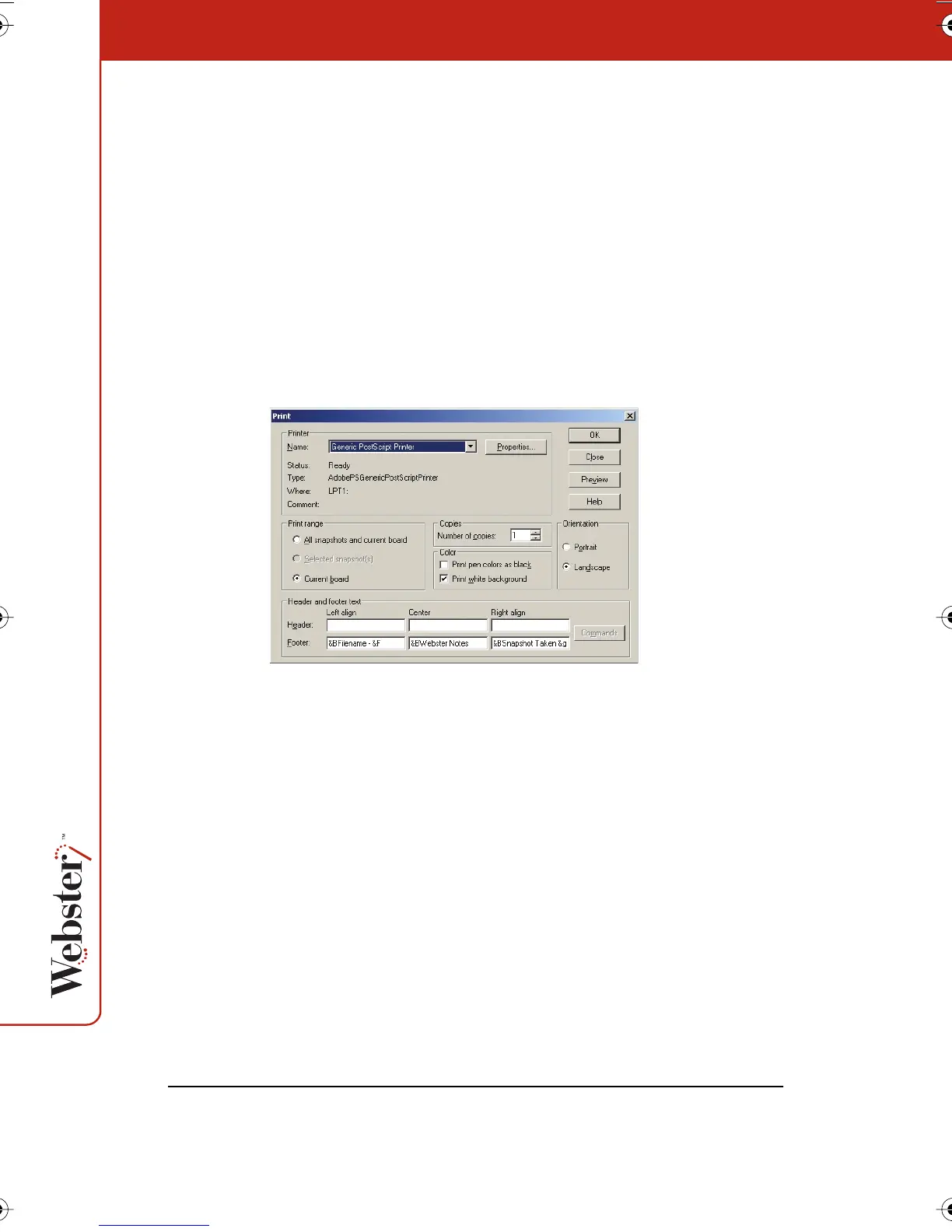
2 Choose “Print” from the File menu or click the Print button in the
Webster command toolbar. The following dialog appears:
3 Specify the following print options:
• Printer name and printer properties
• Which items to print (snapshots and/or current board)
• Number of copies
• How to print colors
• Orientation
• Header and/or footer formats
Printing Colors in Windows
The Print dialog enables you to specify the colors used for the
printed copy.
Webster_draft2.book.mif Page 58 Friday, October 11, 2002 10:07 AM



 To Next Page