19
4.2 Operating mode selector
Prior to setting your required temperature, you must rst select an operating mode for your heat pump:
4. Use
4.1 Wired remote control
Before starting, ensure that the ltration pump is working and that water is circulating through
the heat pump.
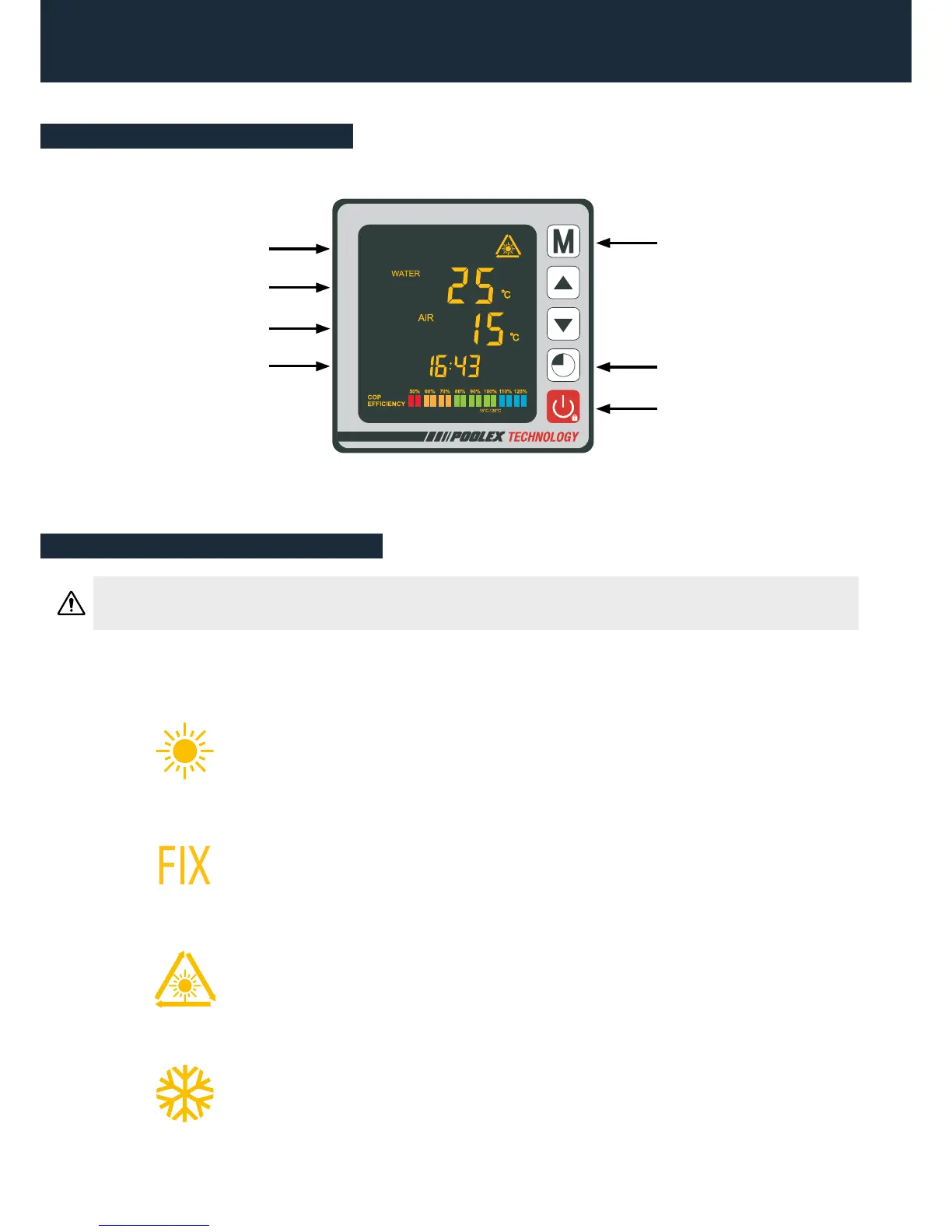
Button: On/Off
Button: Clock and Timers
Button: Operating mode
Water temperature
Outside temperature
Clock
Operating mode
FIX Mode (Heating only)
Select the x heating mode for the heat pump to heat the water in your pool con-
stant power.
Heating Mode (inverter)
Select the heating mode for the heat pump to heat the water in your pool intelligent-
ly.
Cooling Mode (inverter)
Select the cooling mode for the heat pump to cool the water in your pool intelligent-
ly.
ECO Silence Mode
Select the silence heating mode for the heat pump to heat the water at reduced
speed.


 To Next Page