24
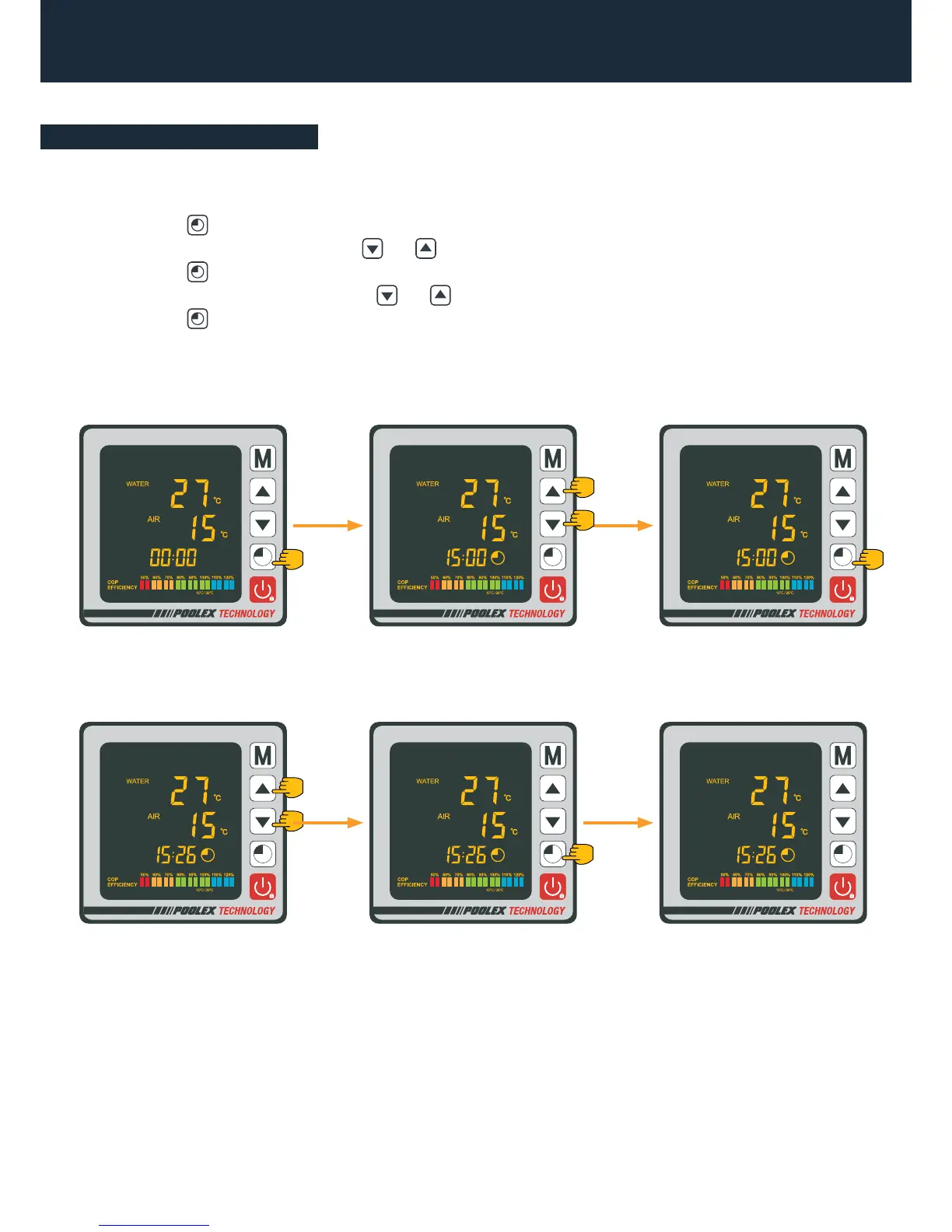
Set the system clock to local time, as follows:
Step 1: Press to set the time, the hours are blinking.
Step 2: Adjust the hours with the buttons and .
Step 3: Press to switch to minutes.
Step 4: Adjust the minutes with the buttons and .
Step 5: Press to validate and return to the main screen.
4. Use
4.7 Setting the clock
Step 3Step 2
Step 5
Step 1
Step 4



 To Next Page