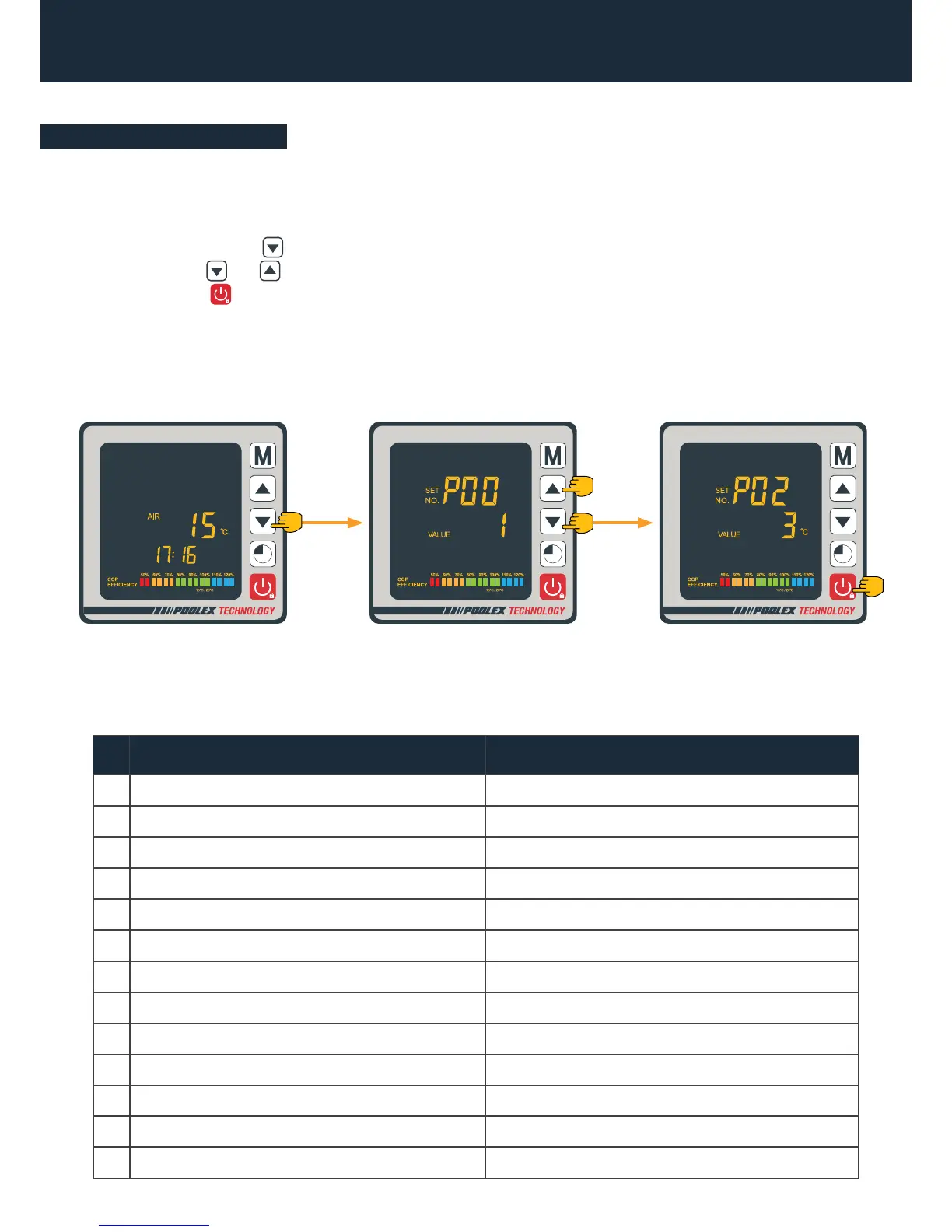
The status values can be checked via the remote control by following these steps
Status values table
Step 1: Keep pressing until you enter the settings verication mode.
Step 2: Press and to check the status values.
Step 3: Press to return to the main screen.
4. Use
4.11 Status values
N° Description Range
01 Water inlet temperature -20~99°C
02 Water outlet temperature -20~99°C
03 Ambient temperature -20~99°C
04 Air outlet temperature 0~125°C
05 Air inlet temperature -20~99°C
06 Outside coid temperature -20~99°C
07 Inside coil temperature -20~99°C
08 The openness of the expansion valve
09 Reserved
10 Compressor current
11 Temperature of the heat sink
12 DC bus voltage
13 Compressor real speed
Step 3Step 2Step 1
4s


 To Next Page