23
When the incoming water temperature is higher or equal to the required temperature (setpoint temperature
+ 1°C), the heat pump will switch to cooling mode. The compressor will stop when the temperature of the
incoming water is less than or equal to the required temperature (setpoint temperature - 1°C).
Step 1: Long press 3s to switch on your pump.
Step 2: Long press 3s to switch from one mode to another until the Cooling Mode is displayed.
Step 3: Using buttons and select the required temperature (8-28°C).
WARNING: Before starting, ensure that the ltration pump is operating correctly.
4. Use
4.6 Cooling Mode (inverter)
WARNING: When the cooling mode switches to heating mode or vice-versa, the heat pump will restart
after 10 minutes.
EXAMPLE:
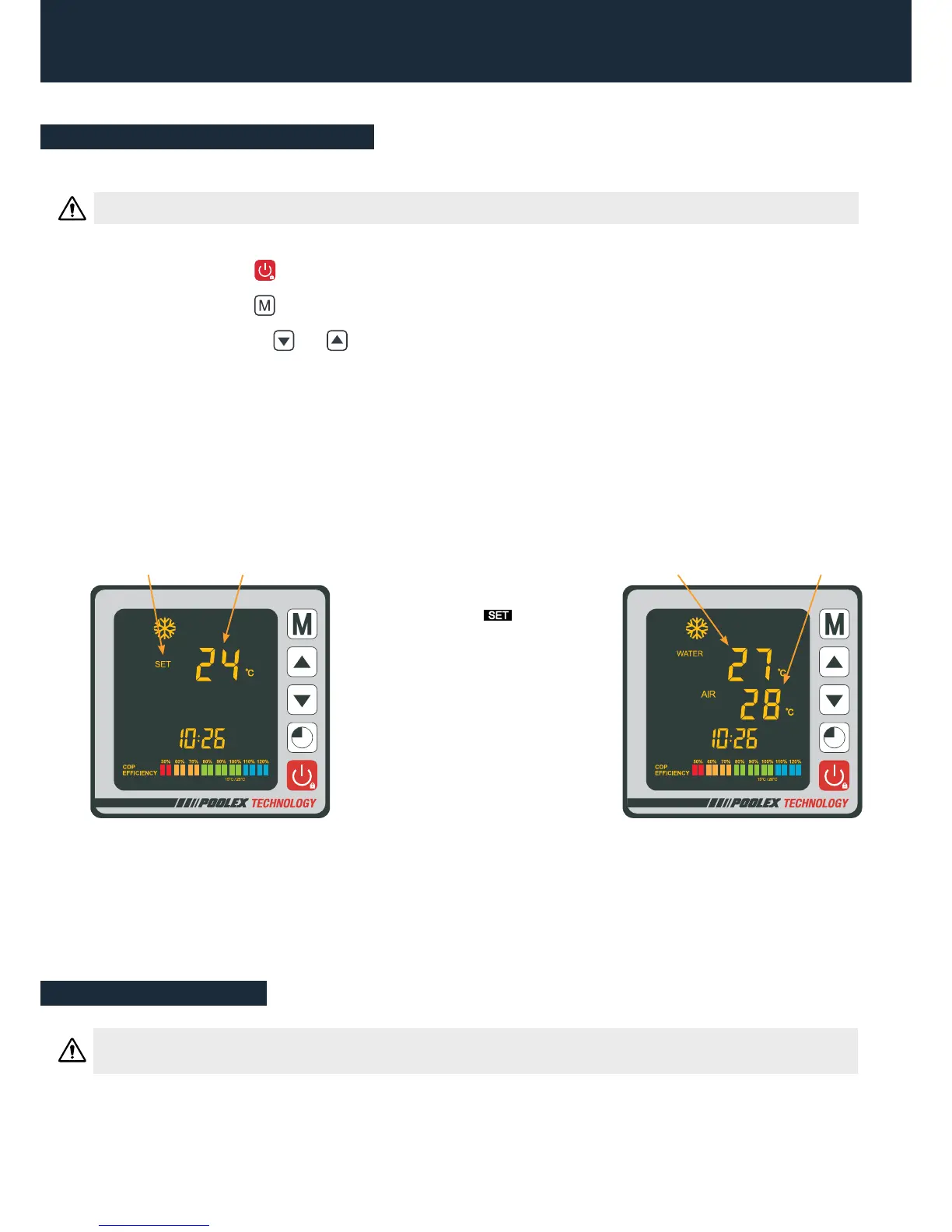
If you have selected 24°C, for example, your screen will display:
Once the symbol stops
blinking, the required temperature
is validated and is replaced by the
water’s current temperature (27°
in our example).
Required
temperature“Blinking”
Current water
temperature
Current temperature
of the ambient air
Useful information


 To Next Page