68 Motorcaravan - 09/21-0 - GLO-MJ22-00EN
Switching on and off
Switching on:
Tap the rotary/push button (Fig. 58,8).
Previously set values/operating parameters become again after switching
on.
Switching off:
Press the rotary/push button (Fig. 58,8) for longer than 4 seconds.
The message "OFF" is displayed.
Setting the room
temperature
Changing the room
temperature:
Use the rotary/push button (Fig. 58,8) to select the room temperature
symbol and tap to change to the setting level.
Use the rotary/push button to select between heater, air conditioning
system or automatic air conditioning (depending on which appliances are
connected, not all the selection options are available).
Confirm the selection by pushing the rotary/push button (Fig. 58,8).
Use the rotary/push button (Fig. 58,8) to select the desired room tempera-
ture.
Tap the rotary/push button (Fig. 58,8) to confirm the value.
Set the timer.
Switch lighting on and off.
Brightness can be selected in 5 levels.
Set the time.
Call up the service menu.
Menu Description
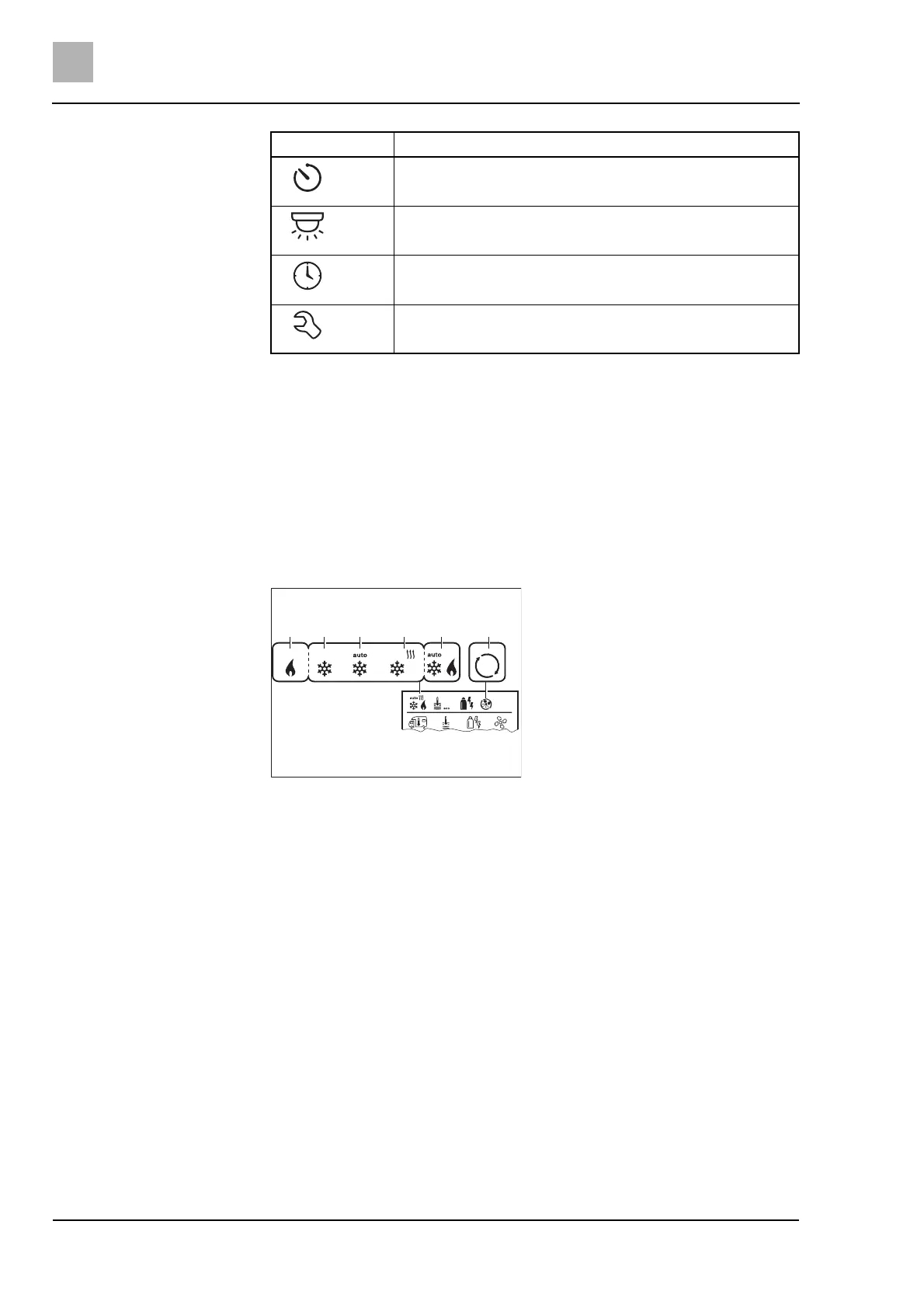
Fig. 59 Setting possibilities room tem-
perature
1 Heater* - Heater ON
2 COOL - Air conditioning system ON
3 AUTO - Air conditioning system set to
automatic
4 HOT - Air conditioning system in hea-
ting mode
5 AUTO - Automatic air conditioning*
ON
6 VENT - Air conditioning system in
ventilation mode
* Symbol flashes until the desired room
temperature has been reached.
** only if automatic air conditioning was
activated.



 To Next Page