67Motorcaravan - 09/21-0 - GLO-MJ22-00EN
10.2.3 Panel Truma CP plus (optional)
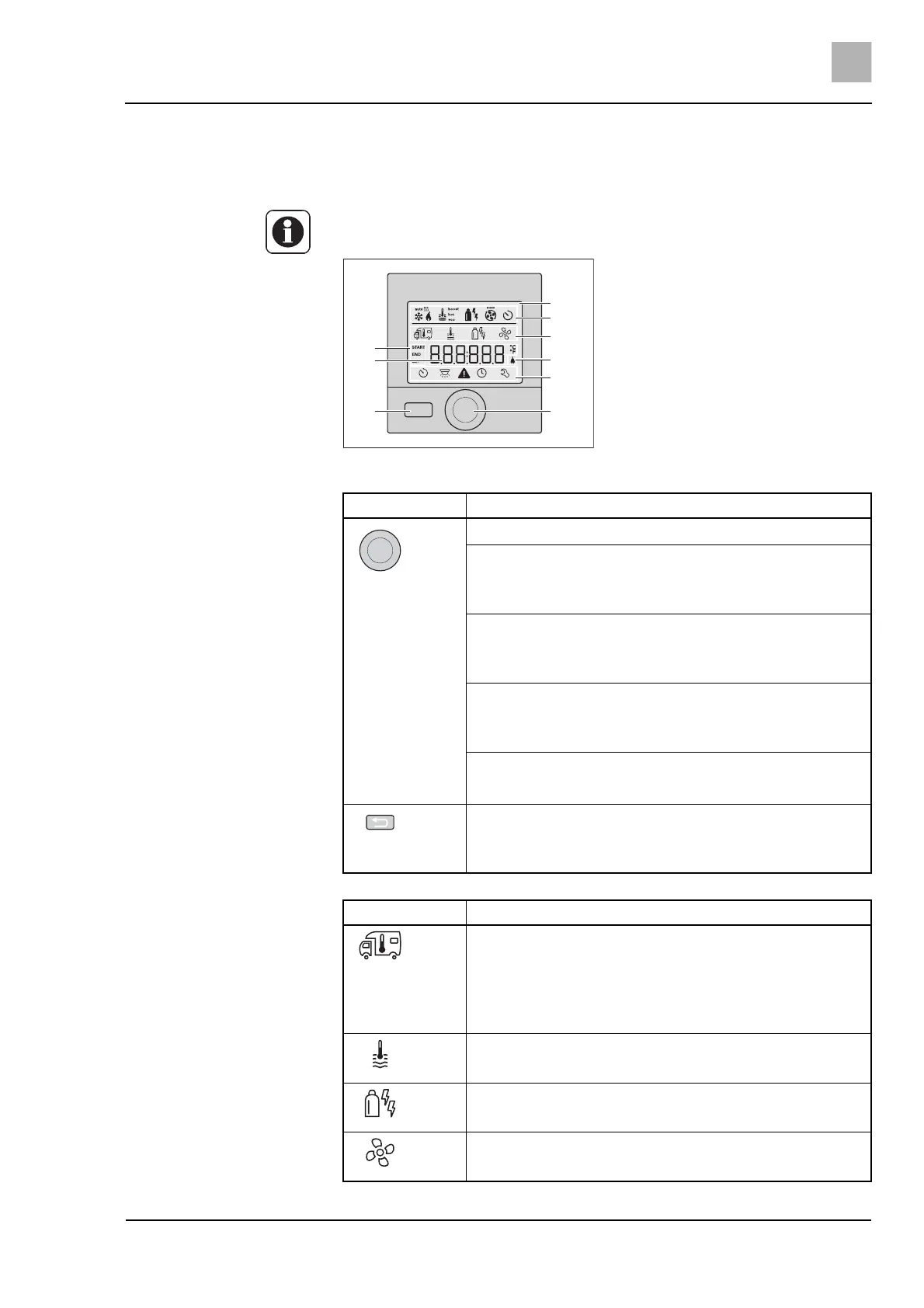
The control panel Truma CP plus serves to control and monitor the tempera-
ture (room/water temperature) and to set the air-conditioning system.
Further information can be obtained in the separate manufacturer's instruc-
tion manual.
Fig. 58 Panel Truma CP plus
1 Display
2 Status bar
3 Menu bar (top)
4 Menu bar (bottom)
5 Display supply voltage 230 V
(external power)
6 Display timer
7 Settings/values
8 Rotary/push button
9 "Back" button
2
3
5
4
8
6
7
9
1
Button Function
Rotary/push button
Rotate clockwise
Menu is passed through from left to right.
Increase in values (+).
Rotate counter-clockwise
Menu is passed through from right to left.
Decrease in values (-).
Tap
Apply (save) a selected value.
Selection of a menu item, change to the setting level.
Long pressing
Main switch function ON/OFF.
"Back" button
Jump back from the menu.
Rejection of settings (the previous values are retained)
Menu Description
Change the room temperature.
Adjustable temperature range:
Heater = 5 - 30 °C (in 1 °C steps).
Air conditioning = 16 - 31 °C (in 1 °C steps).
Automatic air conditioning = 18 - 25 °C (in 1 °C steps).
Change the hot water level.
Select the type of energy.
Select the fan levels.


 To Next Page