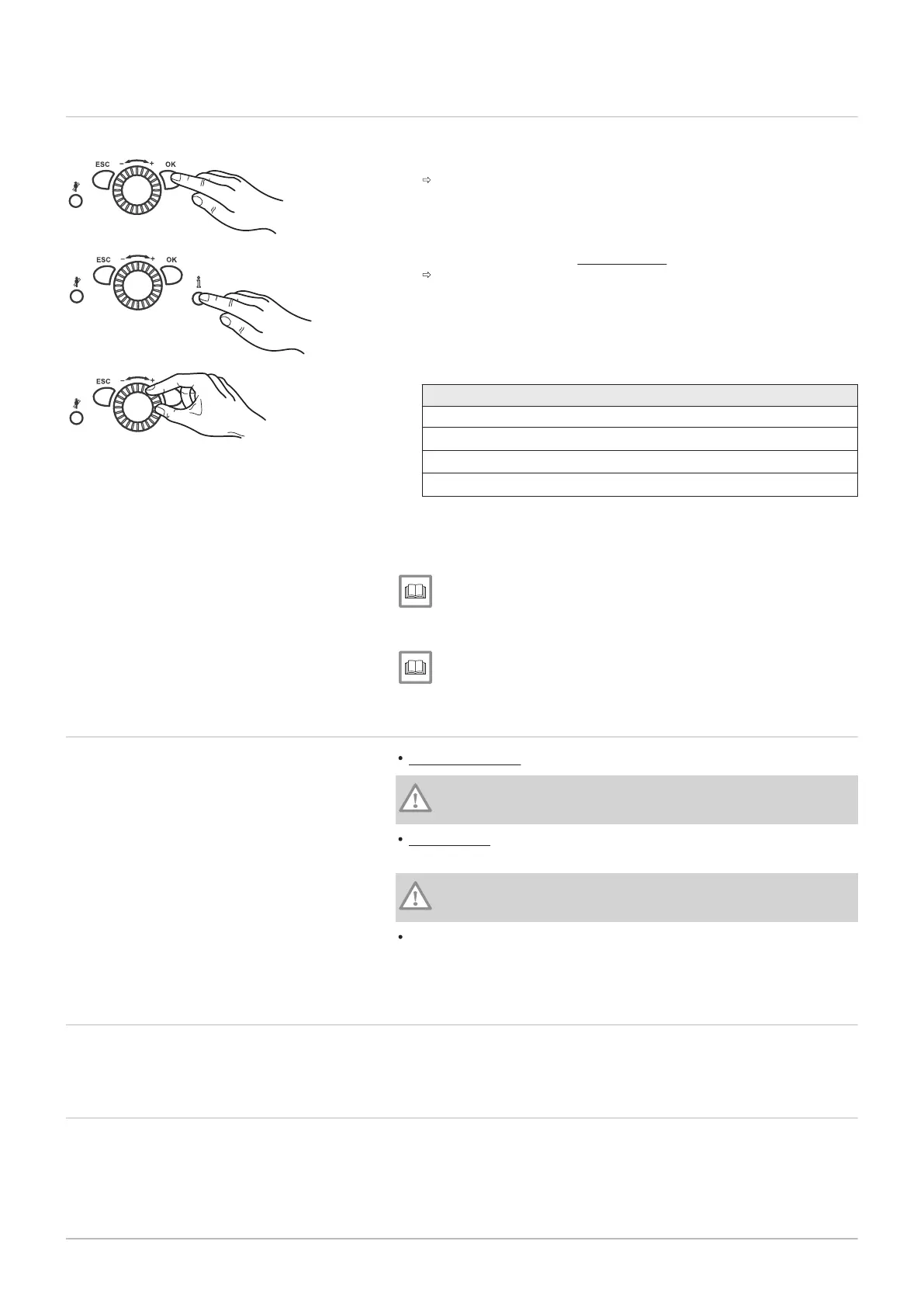
8.2 Programming procedure
The selection of the setting levels and menu items is done as follows:
1. Press OK.
The menu items under the
End user
level are displayed.
2. Press information button for approx. 3 s.
The setting levels appear.
3. Select the required setting level using the control knob.
Setting levels
- End user (Eu)
- Commissioning (C),
incl. end user (Eu)
- Engineer (E),
incl. end user (Eu) and commissioning (C)
- OEM,
includes all other setting levels (password-protected)
4. Press OK.
5. Select the required menu item (see parameter list) using the control
knob.
See
Not all menu items will be visible, depending on the selection of
the programming level and the programming.
For more information, see
List of parameters, page 62
8.3 Checking water pressure
Less than 1.0 bar: Top up water.
Caution
Observe the maximum permissible system pressure.
Over 6.0 bar: Do not put the gas condensing boiler into operation. Drain
the water.
Caution
Observe the maximum permissible system pressure.
Check that there is a drip pan below the discharge pipe from the safety
valve. In the case of overpressure, it collects heating water as it is
expelled.
8.4
Checking the domestic water storage tank
Where systems work with a domestic water storage tank, this must always
be filled with water. In addition, it must be possible for cold water to enter.
8.5
Preparing start-up
This section describes which general work has to be done to switch the
boiler on.
8 Operation
7703046 - 01 - 23072018 Paramount five 30 – 115 57




 To Next Page