8.11 Emergency mode (Manual control)
Activation of manual control. If the manual control function is activated the
boiler is controlled to the setpoint manual control. All the pumps are
switched on. Additional requests e.g. for heating domestic water are
ignored.
1. Press OK.
2. Request the menu item Maintenance.
3. Press OK.
4. Request the parameter Manual control (prog. no. 7140).
5. Press OK.
6. Select the parameter On.
7. Press OK.
8. Leave the programming level by pressing the operating mode key for
heating mode.
8.12
Chimney sweep function
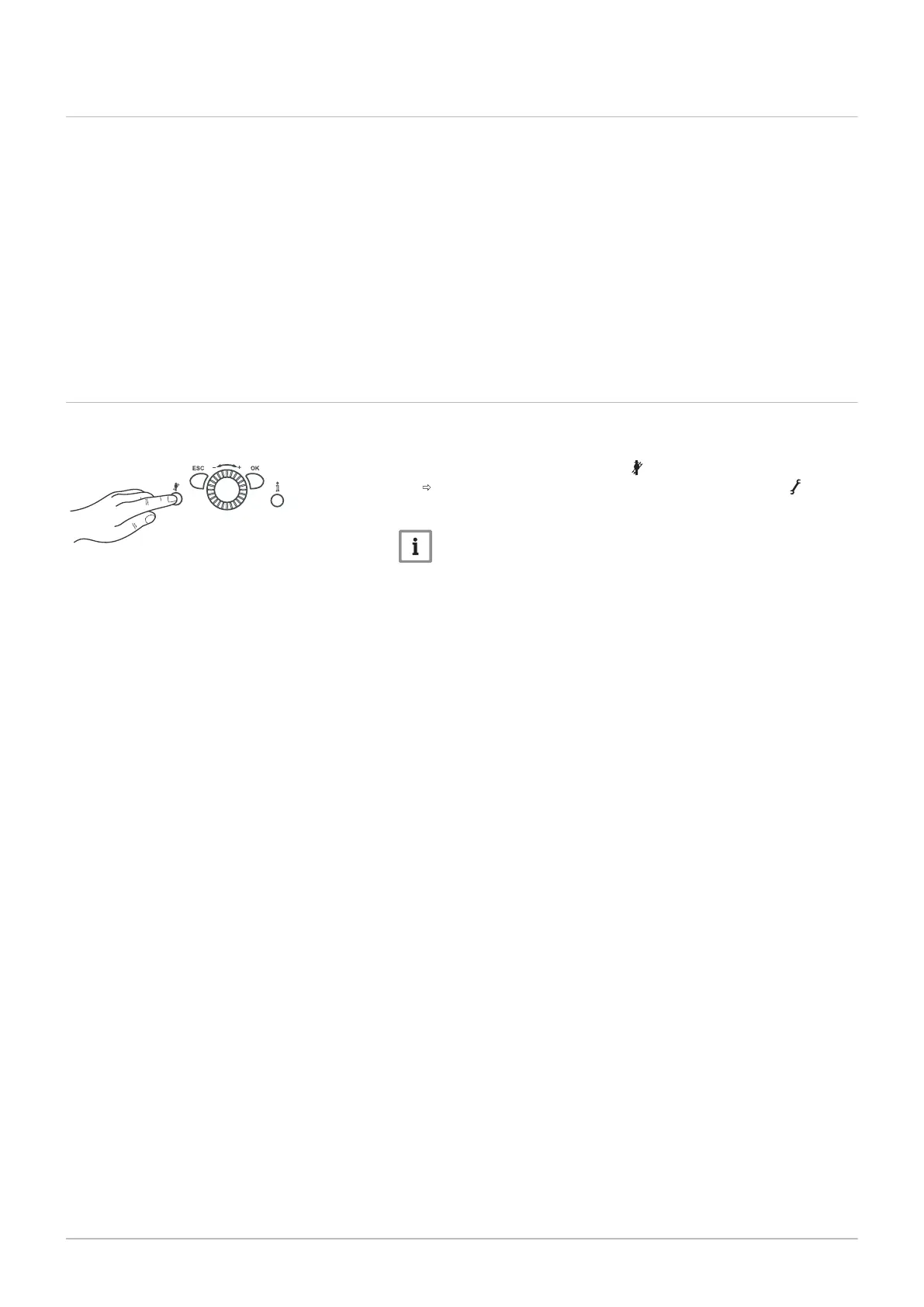
The chimney sweep function is activated or deactivated using the
Chimney-sweep button.
1. Press the Chimney-sweep button .
The activated special function is displayed by the symbol in the
display.
Important
If there is demand for heat from a coiled tubing storage tank, this
demand will continue to be met while the emissions test function
(chimney sweep function) is running.
8 Operation
7703046 - 01 - 23072018 Paramount five 30 – 115 61




 To Next Page