Powered by Safety
®
20
Usage
Circuit Breaker Monitor
01.4IB.48070A
Ch 5 Usage
A. SoftWAre overvIeW
Powell's BreakerView software provides
a series of screens with dashboards and
values that permit rapid determination of
the overall health of a circuit breaker. This is
an asset management tool in direct support
of condition based maintenance as a more
targeted data driven version of predictive
maintenance. Any operational performance
issues are identified and diagnostics with
corrective actions provided. Recording of
events is provided in the embedded database.
Corrective maintenance as well as any routine
maintenance records can be created and stored
within the embedded database allowing a
more complete record of performance of the
circuit breaker and efforts required to ensure
its reliability. Trending of the circuit breaker
performance and time required to maintain it
is readily available through use of this software
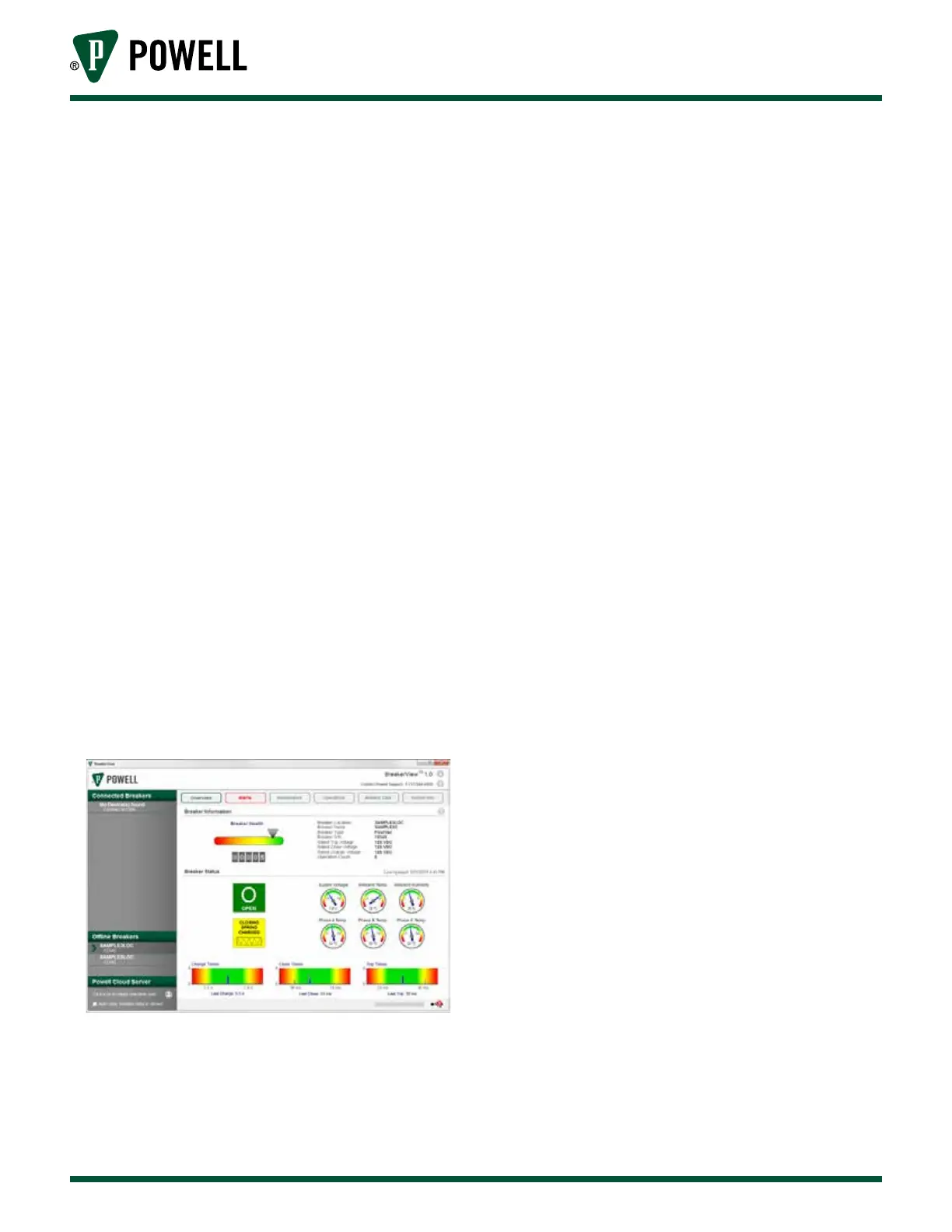
(Figure 20), refer to BreakerView software
manual for more details.
Figure 20 BreakerView Overview Screen
Configuration of the CBM will be performed
by factory personnel or Powell Service Division
personnel.
Figure 20 shows BreakerView screen with
dashboards providing circuit breaker health
and performance measures.
The software can be downloaded from
breakerview.powellind.com.
For IRIMs that are to be used in a network, a
configuration of those modules is required
(Figure 21). Configuration of the IRIM, by a
separate application, permits the switchgear
section to have a specific ModBus address
assigned. With this methodology, any circuit
breaker with an embedded CBM will be
identified with its switchgear location, thus
circuit breakers can be installed within any
cubicle for which they have the correct rating
and will be locatable via BreakerView. The IRIM
Production Assistant will be launched from a
laptop directly connected via a USB cable to
the associated EIM to the connected IRIM.
Communications to a CBM via Modbus will
be degraded while a laptop is connected
to a given EIM through the USB. The
system is designed to respond to the
local USB connection as the primary data
communications port.



 To Next Page