POWER ELECTRONICS
VS65
ANNEXE A. POWER CABINET OPERATION
51
06 Time
The device has a real-time clock that can be running after power off, after entering into the “Time”
submenu and then the display as below:
You can regulate the real clock by the keypad. Press the “enter” key to enter into an editing
status. And then by the key “↑”, “↓”, “←”, “→” to modify the clock. Press “enter” to make the edit
into effective, or press “Ext” to return.
07 Energy
Choose the item of Energy submenu, and then you can set initial value for pulse energy meter.
This value will change according to the calculation of energy pulses. The device has two routes
input of pulse measurement.
08 Routine
The factory setting value is showed as below and concerned with the secondary transformer
reference. The value is not allowed to be modified by the user.
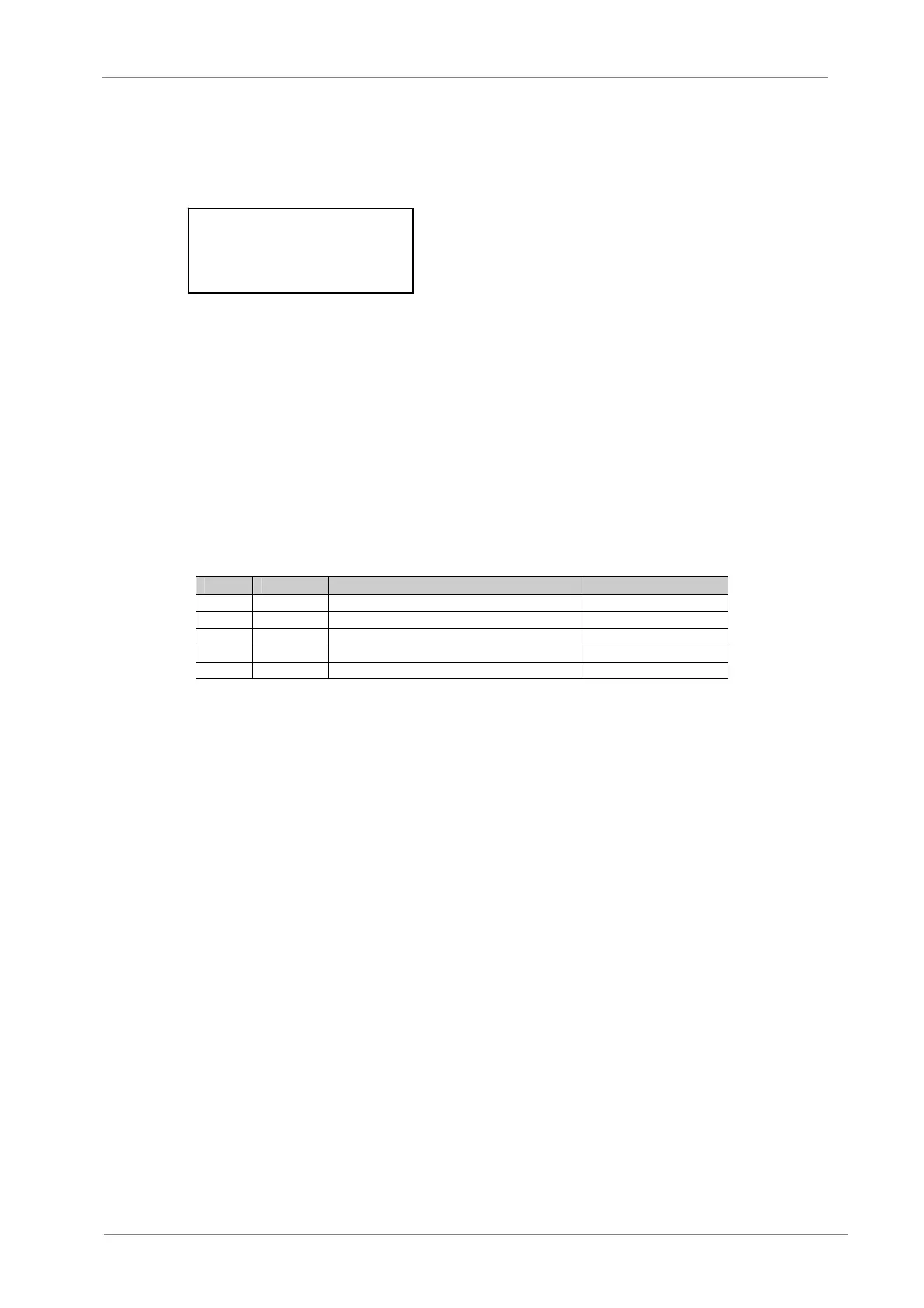
Nº Code Name Setting Range
0 Kv2 Secondary voltage ratio 11.80 (21)
1 Kic Secondary measured current ratio 235.50 (140)
2 Kib Secondary protective current ratio 14.20 (14.8)
3 Ki0 Secondary zero sequence current ratio 235.20 (14.8)
4 Kv0 Secondary zero sequence voltage ratio 4.75 (14.8)
09 Device
Display the basic information about the device, such as version, type and manufacturer.
Date
04Y 06M 26D
Time
15H 36M 50S



 To Next Page