14
2.8.3 Print
2.8.3.1 Generate Gcode File
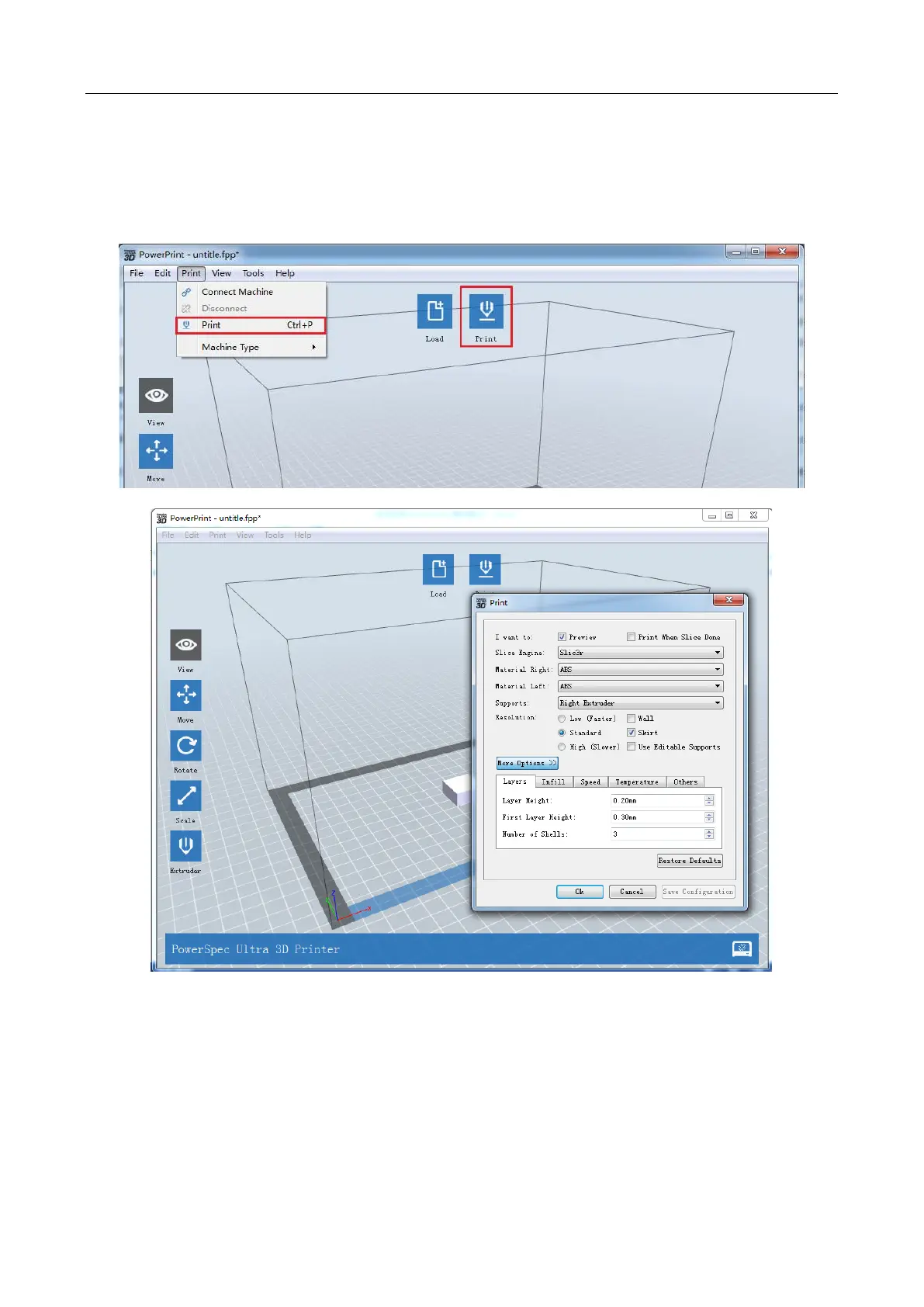
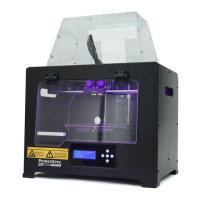
In order to print, you need to slice the model file to generate a gcode file by using the following
steps:
1. Click Print -> Print menu or Print button on top of the software interface, a pop-up dialog box will
open for slicing.
2. Set slicing parameters and click the Ok button, and a pop-up dialog box will open for saving the Gcode
file.
3. In the Save as dialog box, select the path for saving the Gcode file, and then click Save button. You can
see the progress bar at the bottom of software interface start that shows the completion progress of slicing
and uploading Gcode file now. Click the Abort button on the right side of the process bar to cancel the
slicing.


 To Next Page