23
5 Filament
To make the process of feeding or withdrawing the filament easy, please follow the next few steps carefully:
After inserting the filament into the feeding hole, do not force it further until the extruder temperature reaches
200°C or more. Once the machine reaches this point, you will feel the filament being pulled into the extruder head.
5.1 Filament Install
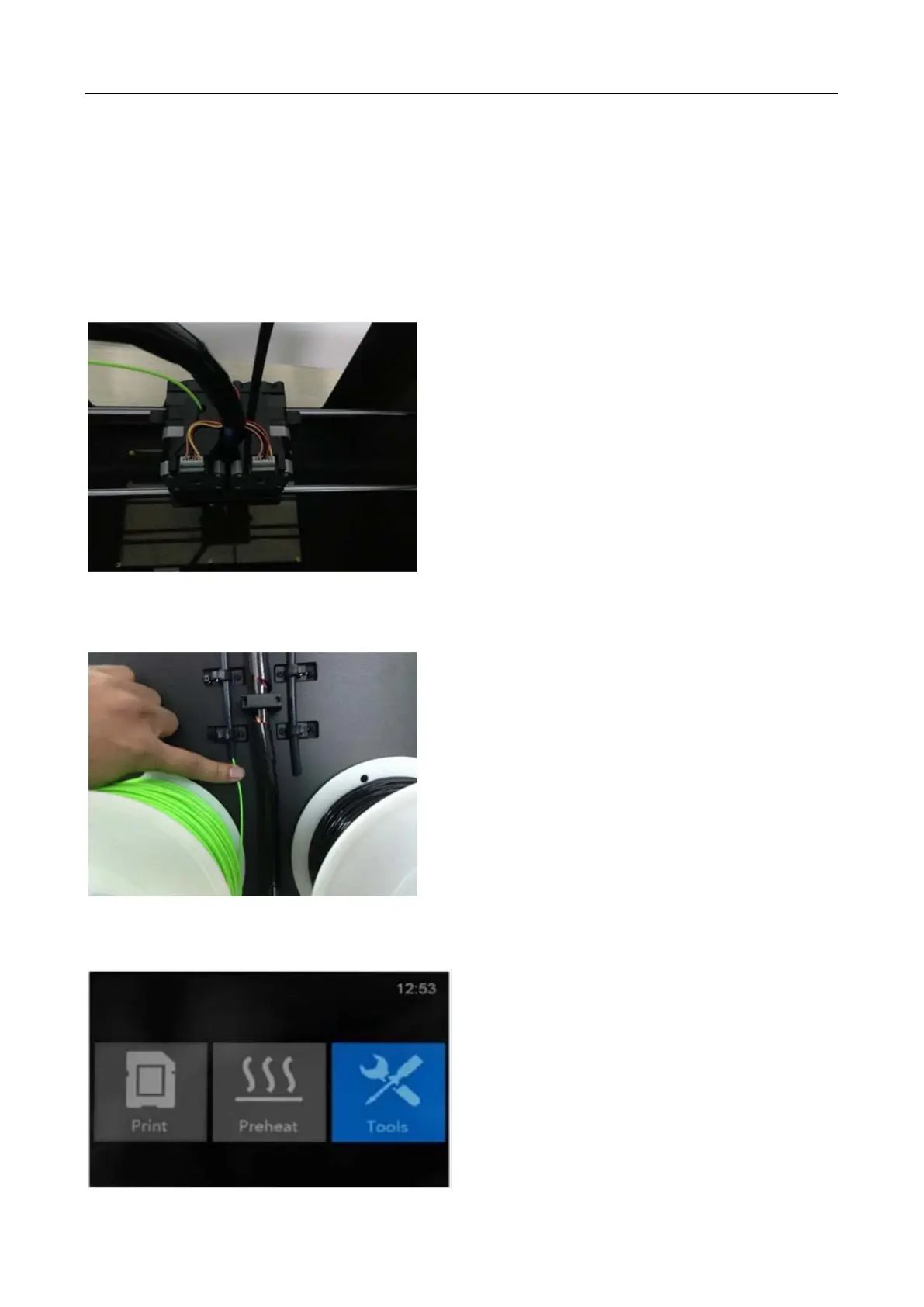
First, remove the filament guide tube from the extruder head.
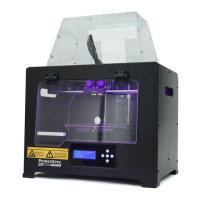
When you have removed the guide tube you can remove the filament that is inside the guide tube. To avoid any
blockages during printing, please ensure that the two threads are loaded from the middle. There are two wire trays,
one runs clockwise and the other one runs counter - clockwise, as shown below:
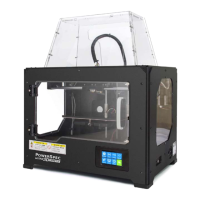
5.2 Load Filament
1. From the main menu, press the right icon labeled [ Tools ].


 To Next Page