8
4 Software Installation
1.1 Preparation
A. Insert the included SD card with 3D printer software into your computer. We have already prepared the
latest driver installation package in the SD card. Copy the RAR program to your PC.
1.2 Installation & Startup
A. Uncompress the copied RAR file, and complete the installation according to the provided instructions.
B. Connect your 3D printer to your computer using the included USB cable, ensure that the printer is
connected to your computer successfully. Start the software by selecting the shortcut on your computer’s desktop
or in the Start Menu.
Note: This software supports Windows XP/Win 7/Win8 32-bit and 64 bit, and Mac operating system.
2. Software Operating Instructions
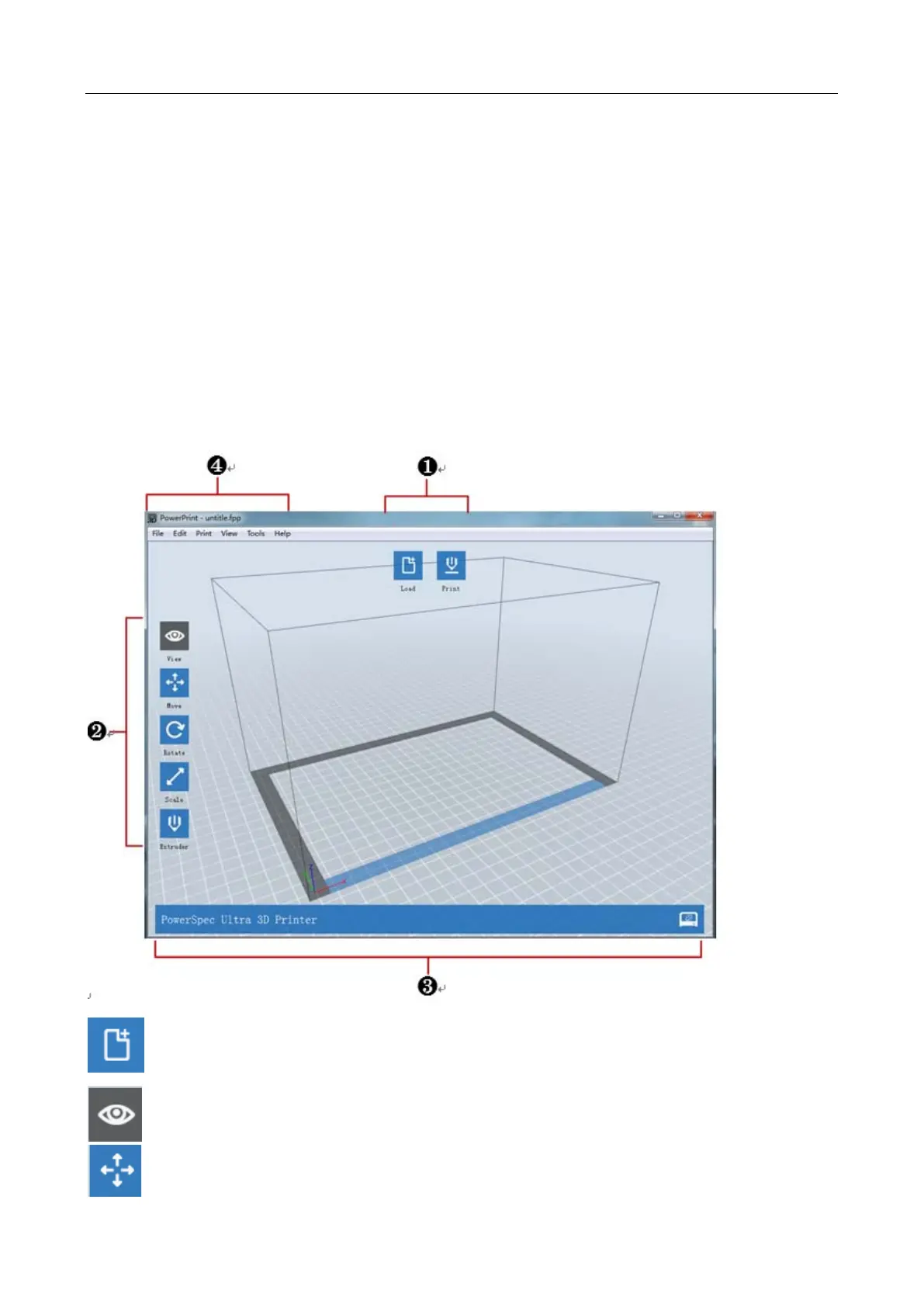
Load one or multiple files.
View Powerprint home screen from one of six viewing angles.
Move model around on the xy-plane; shift+click to move along z axis


 To Next Page