26
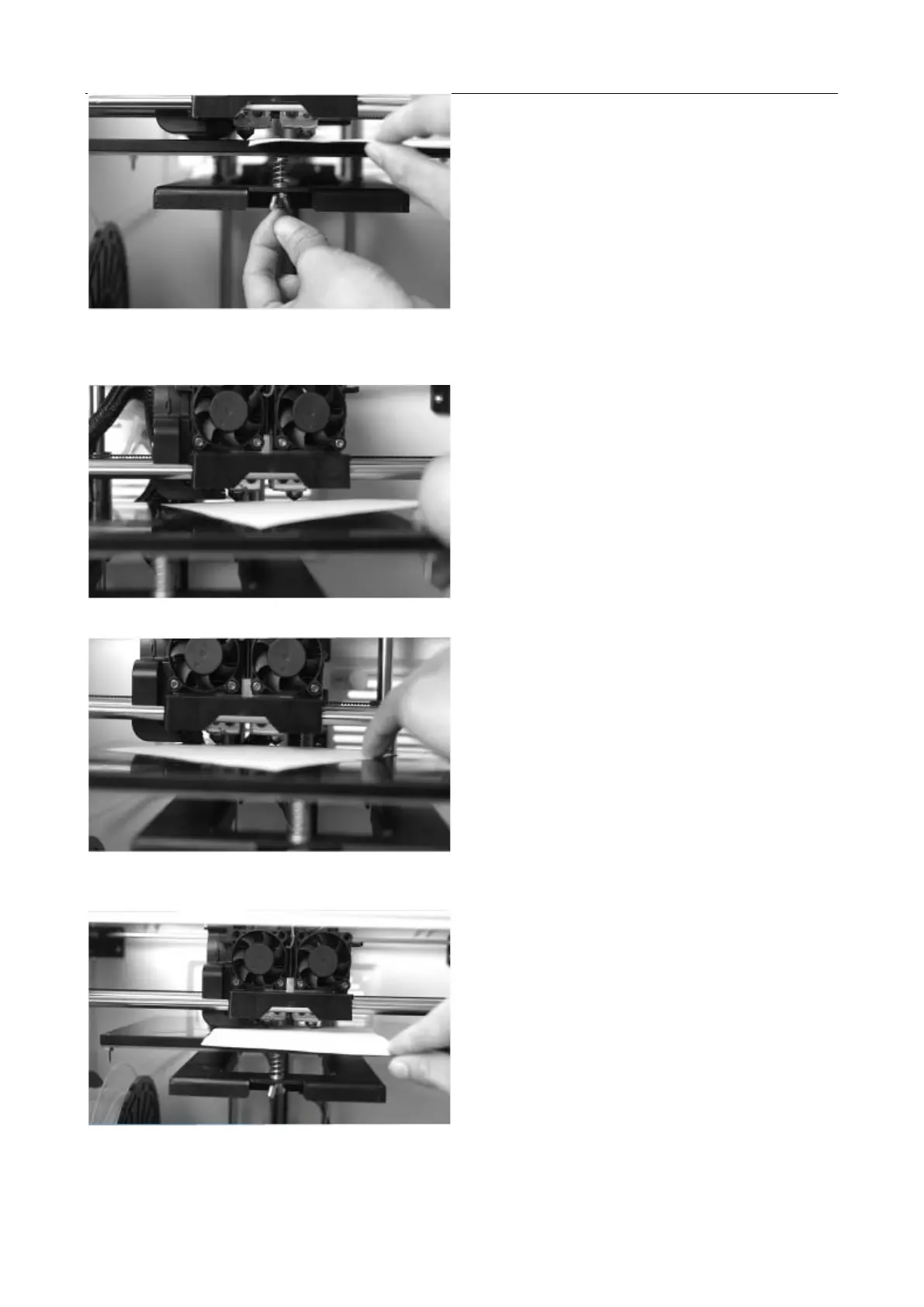
Press [ NEXT ] and wait for the extruder to move to the second position. Slide the paper back and forth again, and
adjust the screws to create the same amount of friction as in the previous step.
Press [ NEXT ] again and repeat the same leveling technique.
Press [ NEXT ]. The nozzle will move to the center of the build plate. Slide the paper through to make sure there
is a slight friction. Slowly adjust all the screws by the same amount if there is no friction or too much friction.
Press [ FINISH ] once you have finished this.


 To Next Page