POWERVAR Security Plus UPS
30
Both the input and output connections of this UPS exhibit
dangerous high voltage, which represents a hazard to
personal life or safety. Please read this manual carefully
prior to installation, operation, and use. Please pay close
attention to any caution labels and statements. Only
trained, authorized service personnel should be allowed
to remove UPS covers or perform maintenance tasks.
2
2
.
.
0
0
S
S
t
t
r
r
u
u
c
c
t
t
u
u
r
r
e
e
a
a
n
n
d
d
B
B
a
a
s
s
i
i
c
c
P
P
r
r
i
i
n
n
c
c
i
i
p
p
l
l
e
e
s
s
2.1 General Structure
2.1.1 Security Plus Front Panel and Rear Panel Structure
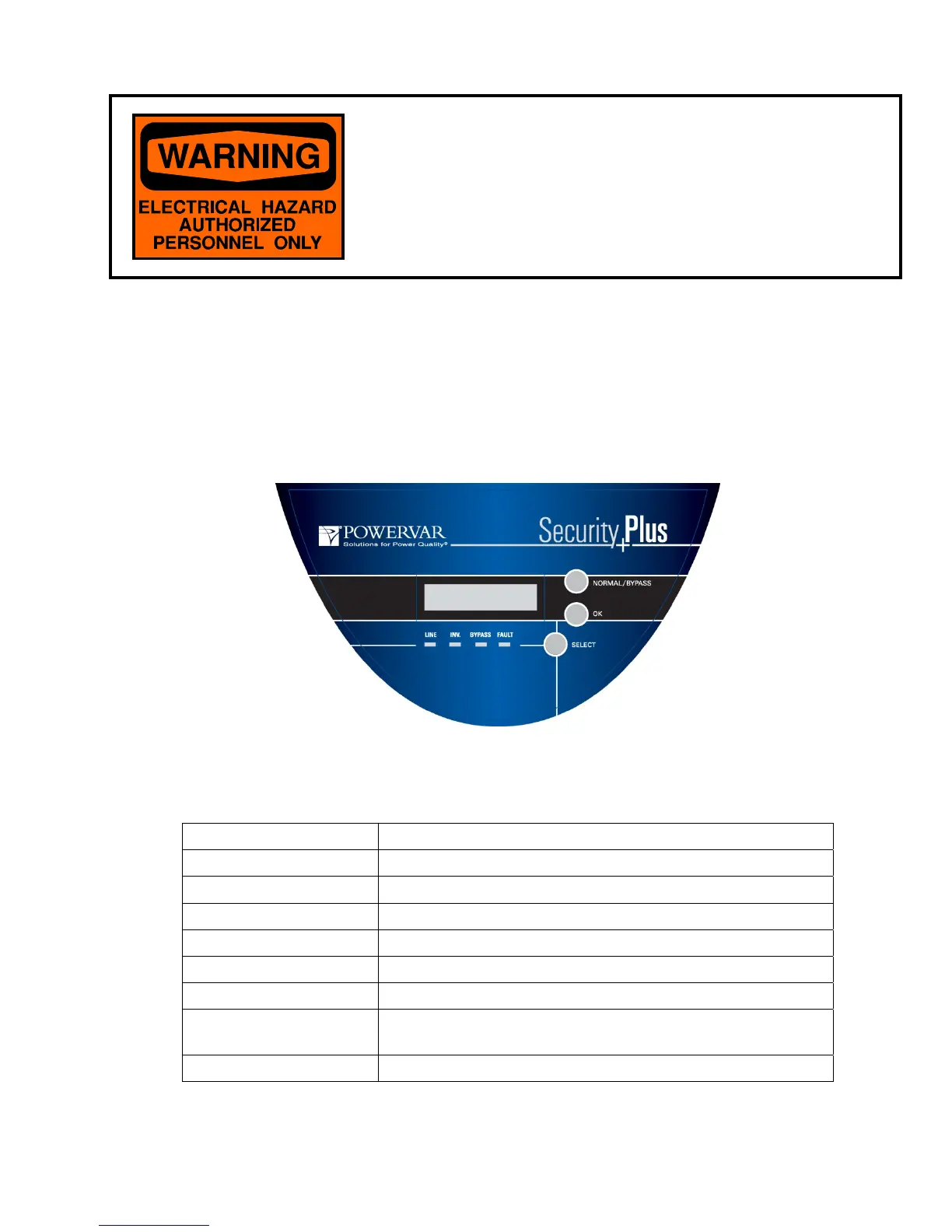
The operator panel layout of the Security Plus UPS is illustrated in Fig. 2-1 and Table 2-1.
Item Function
LCD Display Window Displays status/programming information about UPS
Normal/Bypass Button Turns UPS inverter on and off (when off UPS is in bypass)
OK Button Press to confirm selection of a function
Select Button Used to select or navigate through the UPS menu
Line LED Indicator ON - main supply normal; OFF—no main supply;
Inverter LED Indicator ON - Inverter On; OFF—Inverter Off
Bypass LED Indicator
ON - Indicates UPS is in bypass mode
BLINKING - Bypass voltage is out of range. Bypass transfer is
prohibited.
Fault LED Indicator ON - UPS is in fault mode; OFF- UPS normal or turned off
Table 2-1
Figure 2-1



 To Next Page