POWERVAR Security Plus UPS
46
3.3 Installation of UPS
For convenient operation, maintenance, and cooling of the equipment, there should be at least
30cm to 50cm (approximately 12” to 20”) of free space around the UPS enclosure and 50cm
(approximately 20”) above the UPS enclosure. Be careful that vent openings and UPS fans are
kept clear and free of obstructions to ensure good interior ventilation. Ensuring unobstructed
flow of cooling air will also improve battery reliability as the battery’s service life will be
maximized when the battery is used under normal temperature (20
0
C). It is always preferable
to have the UPS installed in an air-conditioned environment. Follow all precautions for
installation and use of the UPS.
1. Place UPS on a smooth and level floor. Allow no more than 5
0
departure from vertical to
ensure the UPS cannot tip over resulting in injury or damage.
2. Ensure good ventilation by observing the recommended spacing requirements at the back
sides and top of the unit.
3. Avoid installing the UPS in direct sunlight.
4. Protect the UPS from humidity and moisture.
5. Never store corrosive, flammable, or explosive substances in the room with the UPS.
6. Do not place articles on or around the UPS. Ensure that ventilation slots and openings are
not blocked.
7. Do not allow people to sit on the UPS.
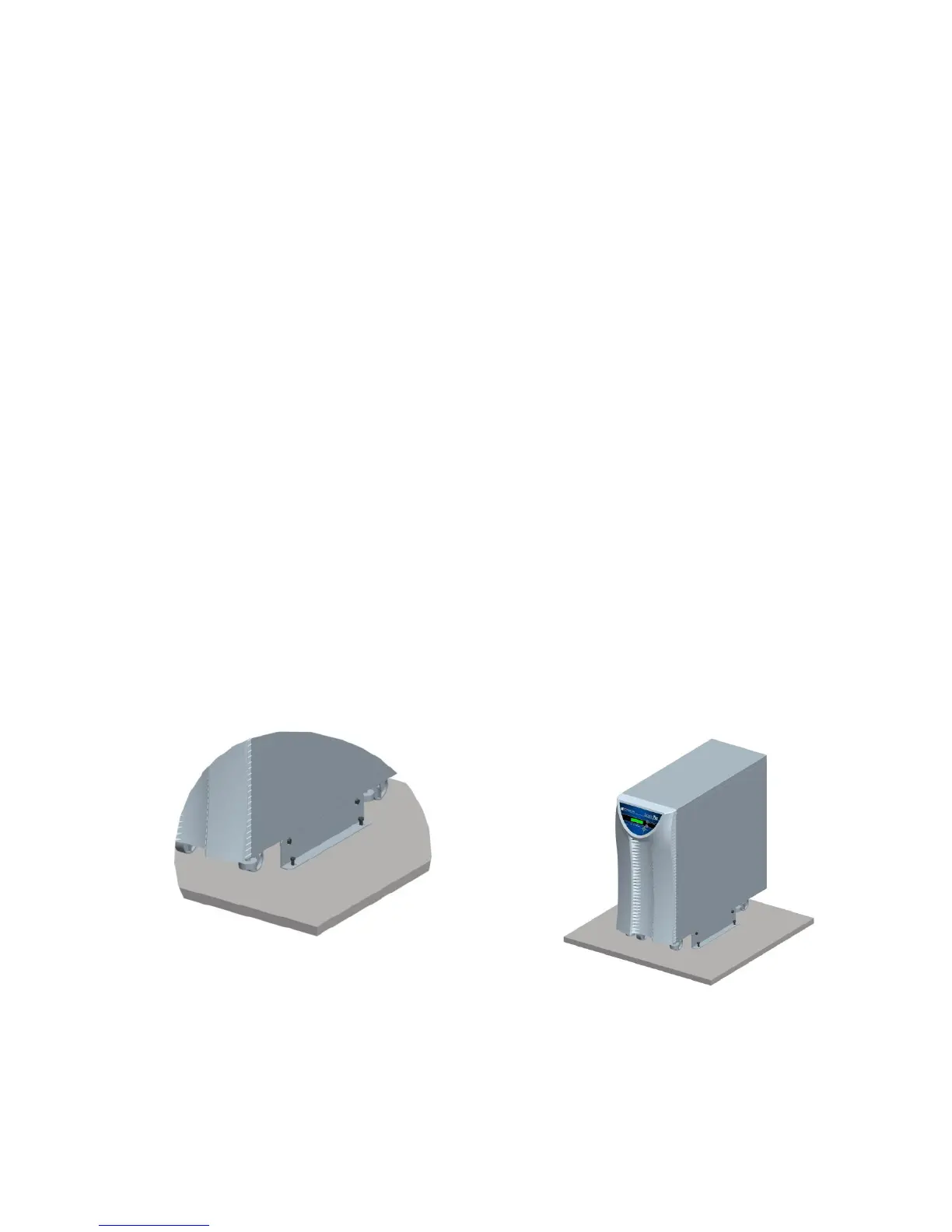
8. The mounting brackets are not seismic; the UPS system should be mounted in place to the
building structure flooring prior to operation.
9. To secure the base of the UPS to the flooring, bond the mounting brackets to each side of
the UPS base and flooring using the screws provided.
USE FOUR M8 OR 5/16 BOLTS TO SECURE THE TWO
MOUNTING BRACKETS TO FLOOR.



 To Next Page