■ 5 Operation
24
5.3.1 Activating the configuration menu
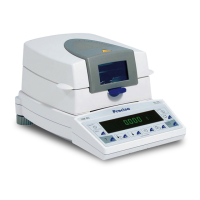
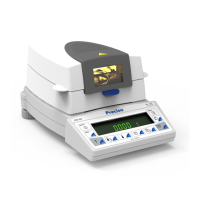
• Press «ON/OFF» to switch the device on.
• Keep the «MENU» key pressed in continuously during the start-up
process (which takes about ten seconds) until "SET DATA PRINT"
appears in the display.
• You can now change the configuration menu.
• Exit the menu by pressing the «esc»- key.
5.3.2 Language function
Procedure for changing the language:
5.3.3 Configuring the report printout
The report printout can be configured in the "SET DATA PRINT" menu
option. The options marked "ON" are contained in the report and are
printed.
The "MODE PC" function allows the measurement printout to be
output in a format which the PC can support. This format only affects
the print rate printout and is used for the graphical evaluation of the
• LANGUAGE
SPRACHE DEUTSCH
LANGUAGE ENGLISH
LANGUE FRANÇAISE
Selecting a language
Display Key Step
- - - - - - - -
«D»
Press repeatedly, until the language
currently activated is displayed.
sprache deutsch
- - - - - - - -
«E»
The language now flashes.
SPRACHE DEUTSCH
- - - - - - - -
«D»
Press repeatedly until the language
you require appears.
LANGUAGE ENGLISH
- - - - - - - -
«E»
To confirm the choice of language.
language english


 To Next Page