Setting a Cool Down Time Limit
Use this setting to select the maximum amount of time the machine
will remain in the cool down mode. Cool down time is the period of
time following the completion of a program when the user
exercises at a reduced work rate.
To set a cool down time:
1. At the SET COOL DOWN TIME
2. Use the navigational arrow keys to display the available time
limits and choose a time between 0 and 5 minutes.
prompt, press OK.
Note:
3. Press OK to accept the displayed setting and move to the next
feature.
The default setting is 5 minutes.
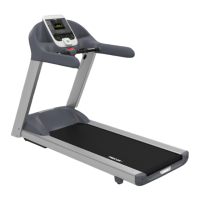
Treadmill: Determining the Club Speed
Limit
You can set a maximum speed for the treadmill. This limits how fast
the running belt moves and, consequently, the number of speed
settings that are available to the user. The speed is displayed in
miles per hour (mph) or kilometers per hour (kph) depending upon
the units of measure (U.S. standard or Metric) selected earlier. The
speed ranges from 0.5 to 16 mph (0.8 to 25.5 kph).
Important: If you select a number that limits the miles per hour,
your change will not affect the kilometers per hour (and vice
versa). The treadmill does not convert the speed entered in mph
(U.S. standard) to kph (Metric). It stores separate numbers for the
different units of measure. To enter both values, you must first
reset the display to the appropriate unit of measure, and then
change the speed limit in this program. Refer to Selecting a U.S.
Standard or Metric Display
.
1. At the SET SPEED LIMIT
2. When you are ready, press OK to accept the displayed setting
and move to the next feature. For other options, refer to
the
prompt, press OK. Use the
navigational arrow keys to select the desired running belt speed
limit.
table in Accessing Club Programming Mode and Changing
the Settings
.


 To Next Page